Tandem Player
A downloadable app for Windows

The scripts are greater than you think.
A video and funscript player for Windows. It reads the folders you already keep, drives your device in time with the picture, and works in VR.
It's the same download as the free edition. A licence key unlocks the rest in place.



Now on version 1.1.3
What changed in each version is in the update log at the bottom of the page.
▶ Watch the 4½-minute showcase
Four and a half minutes of the running app with no slides, played against a real library rather than sample files. It starts with a good script whose strokes never leave the middle third, one key that opens it out, and stroke length on the mouse wheel while it plays. Then three axes become six, and the same things happen from inside a headset.
The short version:
- 🕹️ Your one-axis scripts play as multi-axis — twist, roll, pitch, surge, sway, vibration and squeeze, built from the stroke that's already there
- 🎯 Auto Range — a script written for somebody else's body, fitted to yours in one move
- 🖱️ Depth on the mouse wheel, 0.3× to 2.5×, live, while it plays
- ✂️ A real script editor — fix the bad stretch, loop it, save it, or export it as new funscripts
- 🥽 A VR player built in, with that same editor inside the headset
- 🔒 Safety Mode — a password in front of your library, and a library that doesn't look locked
▶️ Full walkthrough (11 minutes): download.tandemplayer.com/tutorial/tandem-player-tutorial-anime.mp4
📥 Download (free edition, unlocks with a key): tandemplayer.com/
💬 What people say: read the launch thread on EroScripts, with 30+ replies from people using it
🖥️ Windows 10 or 11, 64-bit. No account, and nothing to sign up for.
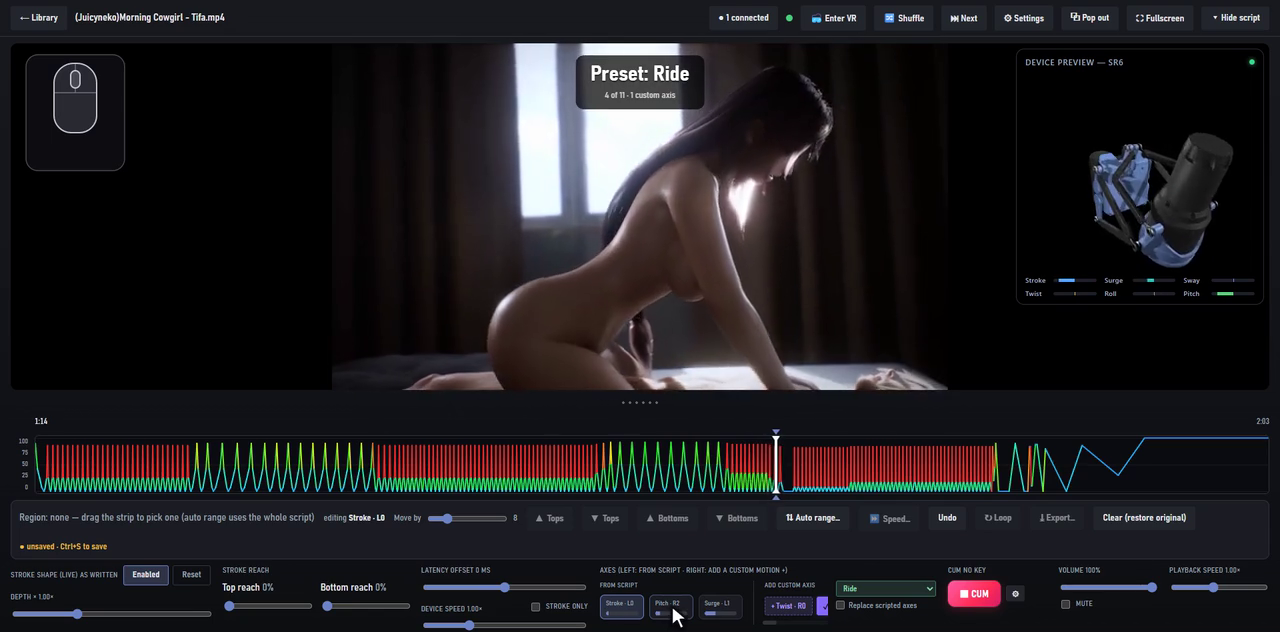
No mock-ups and no reshoots — every clip below is the app itself, recorded while it ran. The GIFs are lighter copies; the showcase and the full walkthrough above are the same footage at full quality. In the motion clips, the device panel in the corner shows what's going out to the device, live.
👑 Exclusive features
You won't find these in another player.
🕹️ One-axis scripts, played as multi-axis
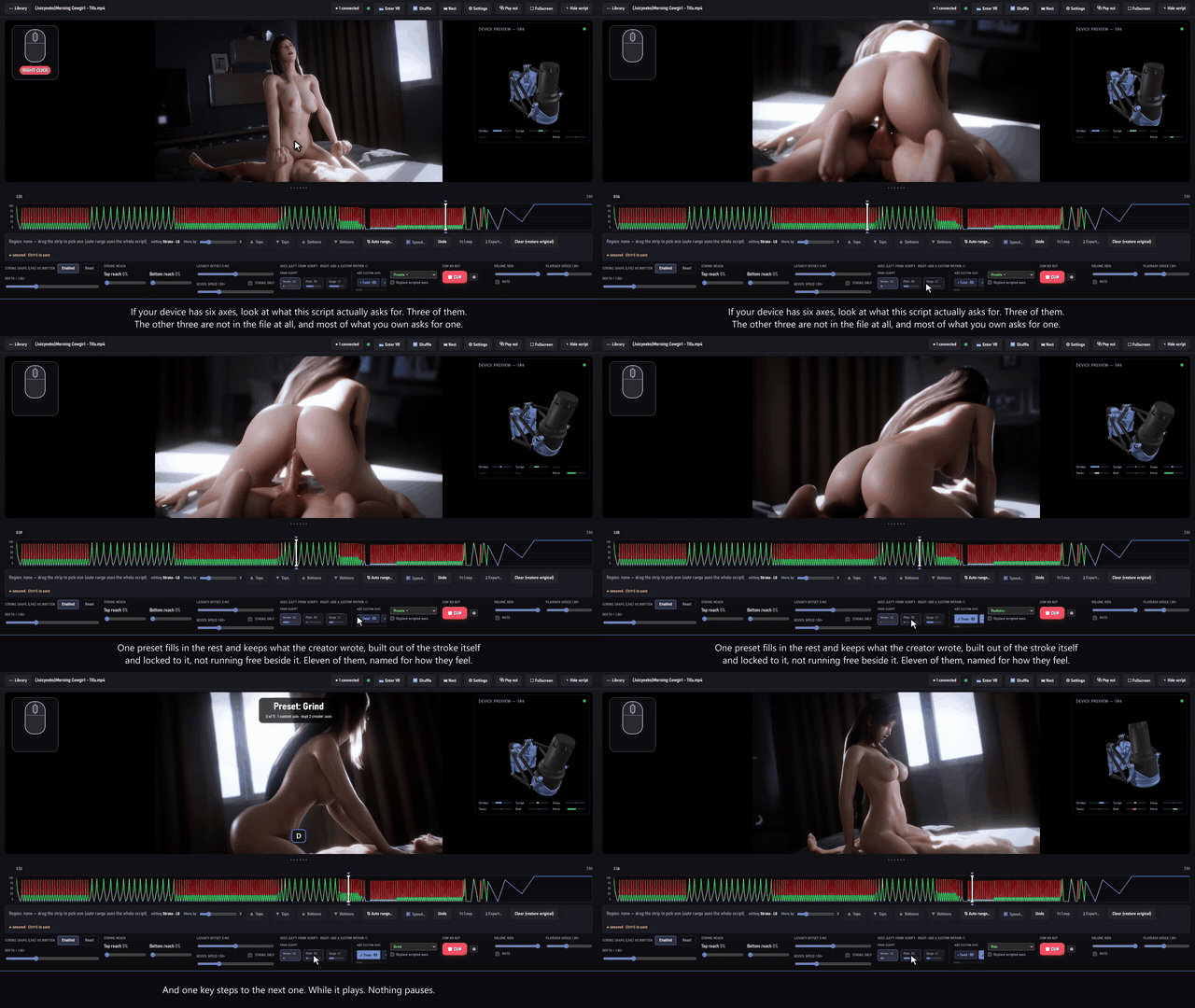
Almost every script is just stroke. A motion preset fills in the rest — twist, roll, pitch, surge, sway, vibration and squeeze — from the stroke you already have, and it never covers an axis the creator actually scripted unless you tell it to. The built-in presets are matched combinations that feel right straight away, and A / D step through them mid-scene without opening anything — all of them, or just the few you tick in Settings.
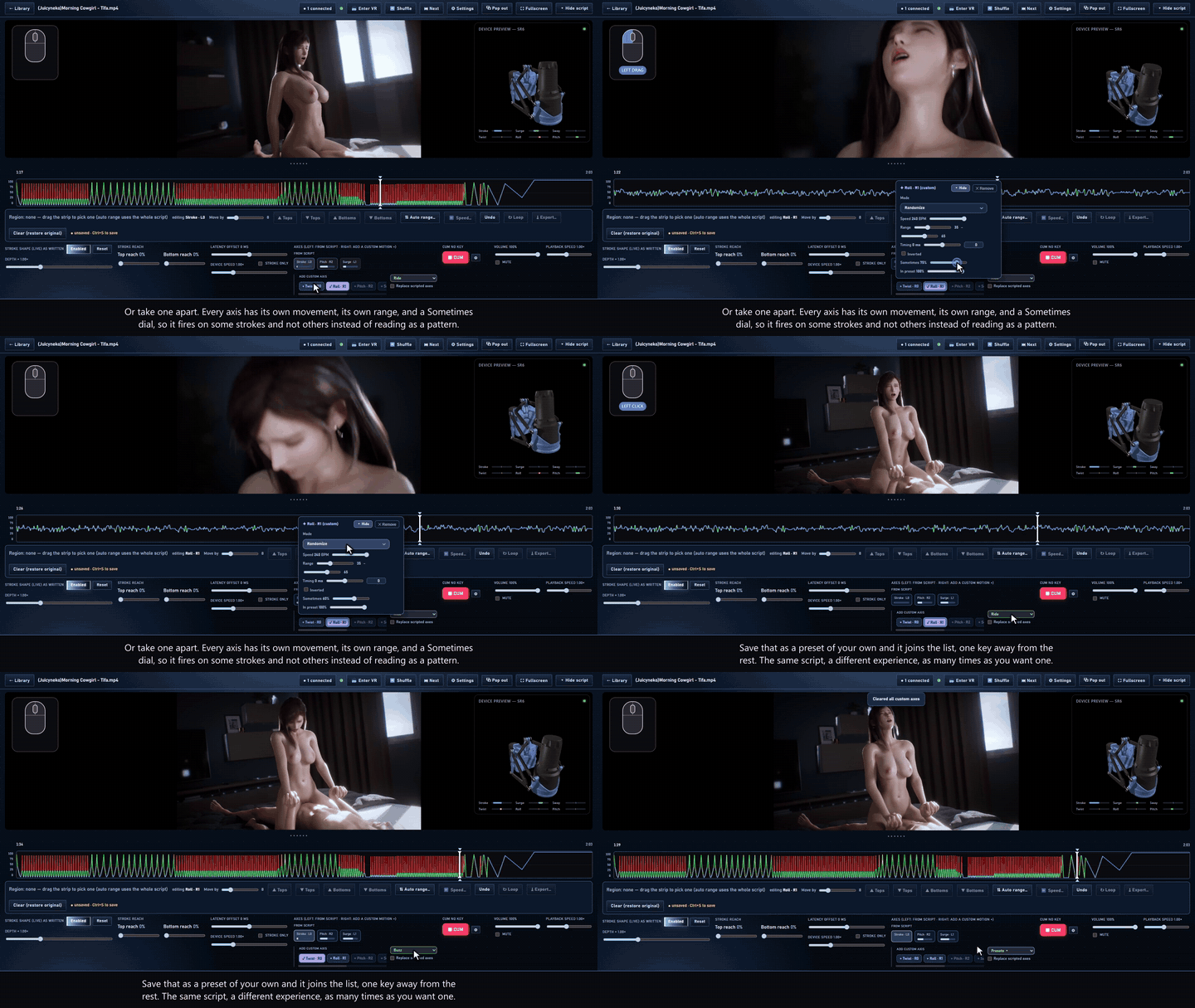
Each axis has its own movement (follow, up only, down only, wiggle, oscillate or wander), its own range, a Sometimes dial so it fires on some strokes and not others, Timing to move it up to 500 ms earlier or later, and Invert. Save the result as your own preset, export it to a file to share, or import one somebody else shared.
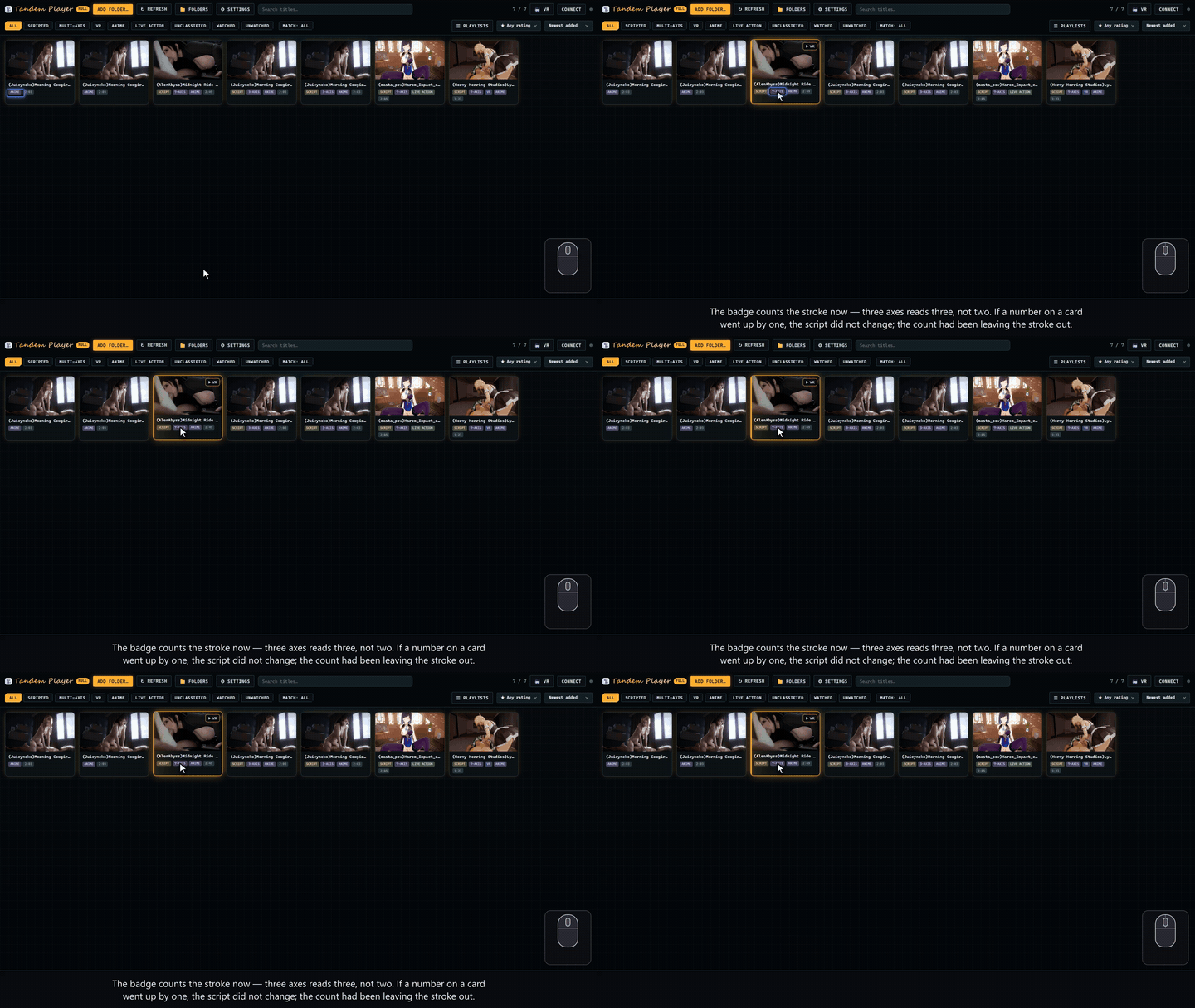
New in v1.1, in every build: the 3-AXIS badge on a card counts the stroke, so three means three — it used to leave the stroke out of its own count. A funscript that carries all of its tracks inside one file, rather than as name.twist.funscript companions, now drives every one of them too; before, only the stroke played.
💜 Lovense Max 2: squeeze and vibration from any stroke script
On the Max 2, the air squeeze is an axis of its own, Squeeze. A script with no squeeze or vibe in it still drives both motors. The vibration rises as the stroke works harder. The squeeze follows the slower trend and holds every level for at least 1.5 seconds, so the air bladder never flutters. Pause and both go still. The Max 2 connects through Intiface and can run at the same time as an SR6 or a Handy.
🎯 Auto Range: a flat script, fixed in one move
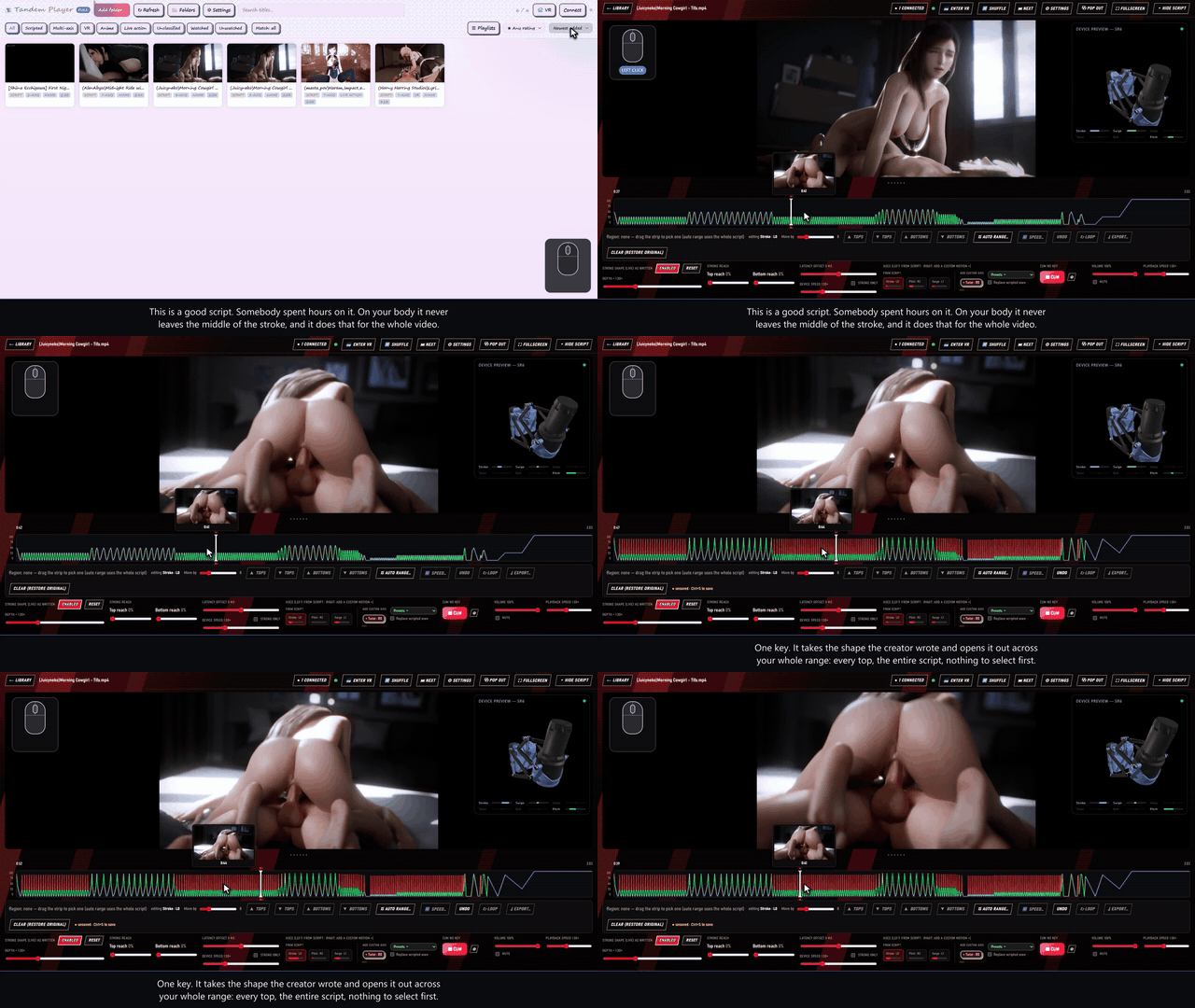
Plenty of good scripts sit in the middle of the range for the whole video because they were written for somebody else's body. Highlight a region, click Auto Range, set the top and the bottom, and you're done. Every stroke in that stretch now uses your full range. Press 1 to do the whole script at once.
- Choose Proportional to keep the shape, Randomize to vary it, or Set for a fixed value
- Loop the selection so you can feel the change before you keep it
- Undo steps back through everything, and nothing is written until you save
🥽 A VR player built in, with full control
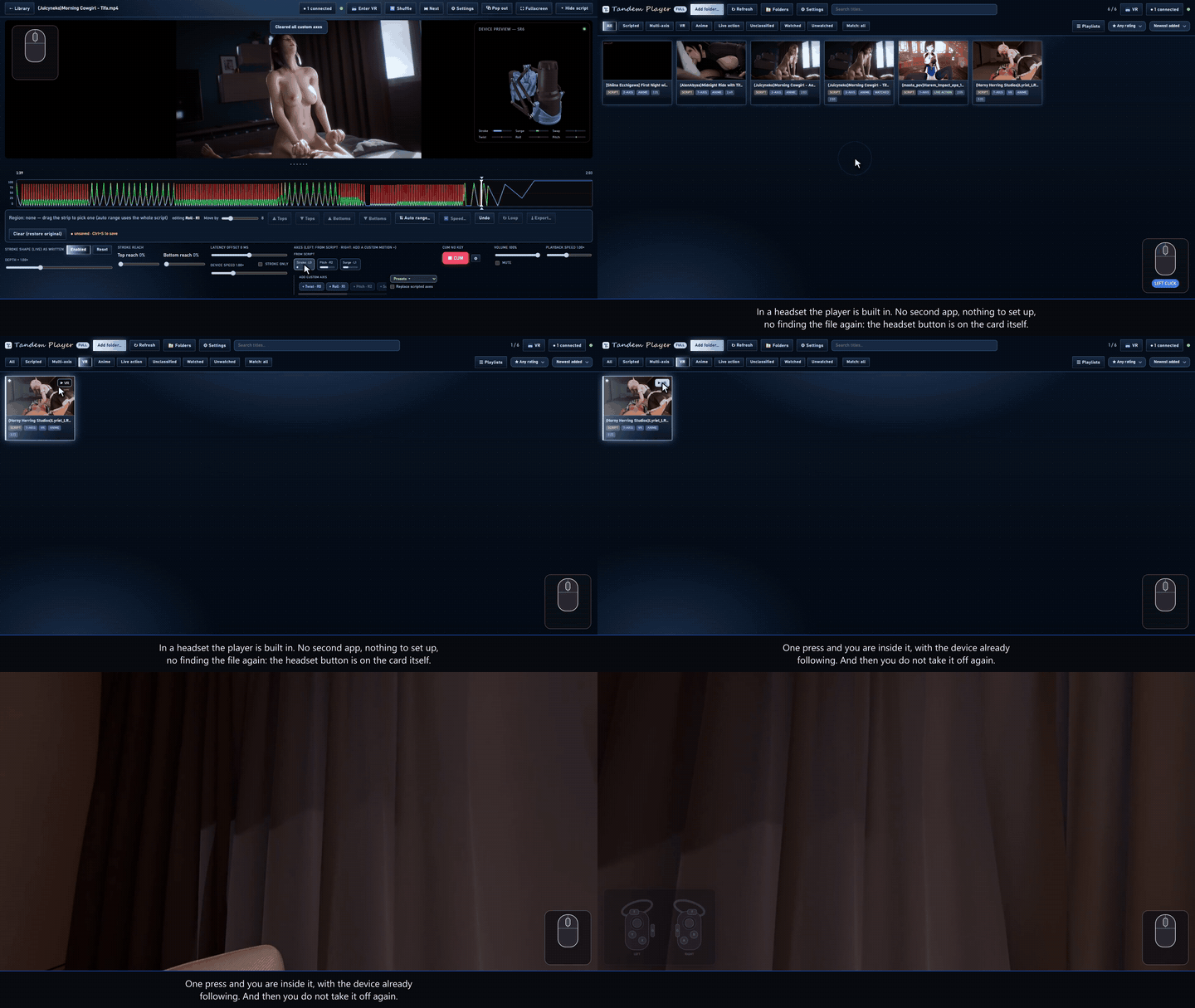
There's a headset button on the card and no second app to open. The script plays exactly the way it does on the desktop, with your depth, presets, offset and edits all carried over.
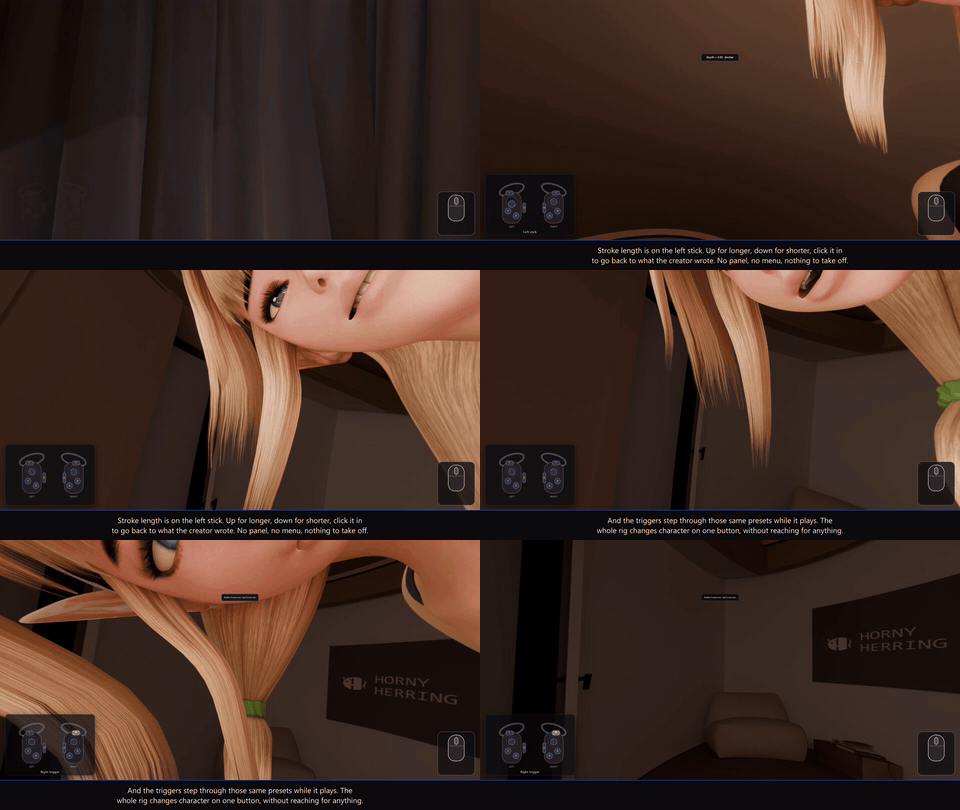
- Left stick: stroke depth. Click it to reset
- Triggers: step through the motion presets, with an Off stop in between
- Grips: recentre (hold and turn to aim) and POV (hold and push or pull)
- B: the panel, with seek, speed, reach, presets and Auto Range from inside the headset
- Every button can be remapped
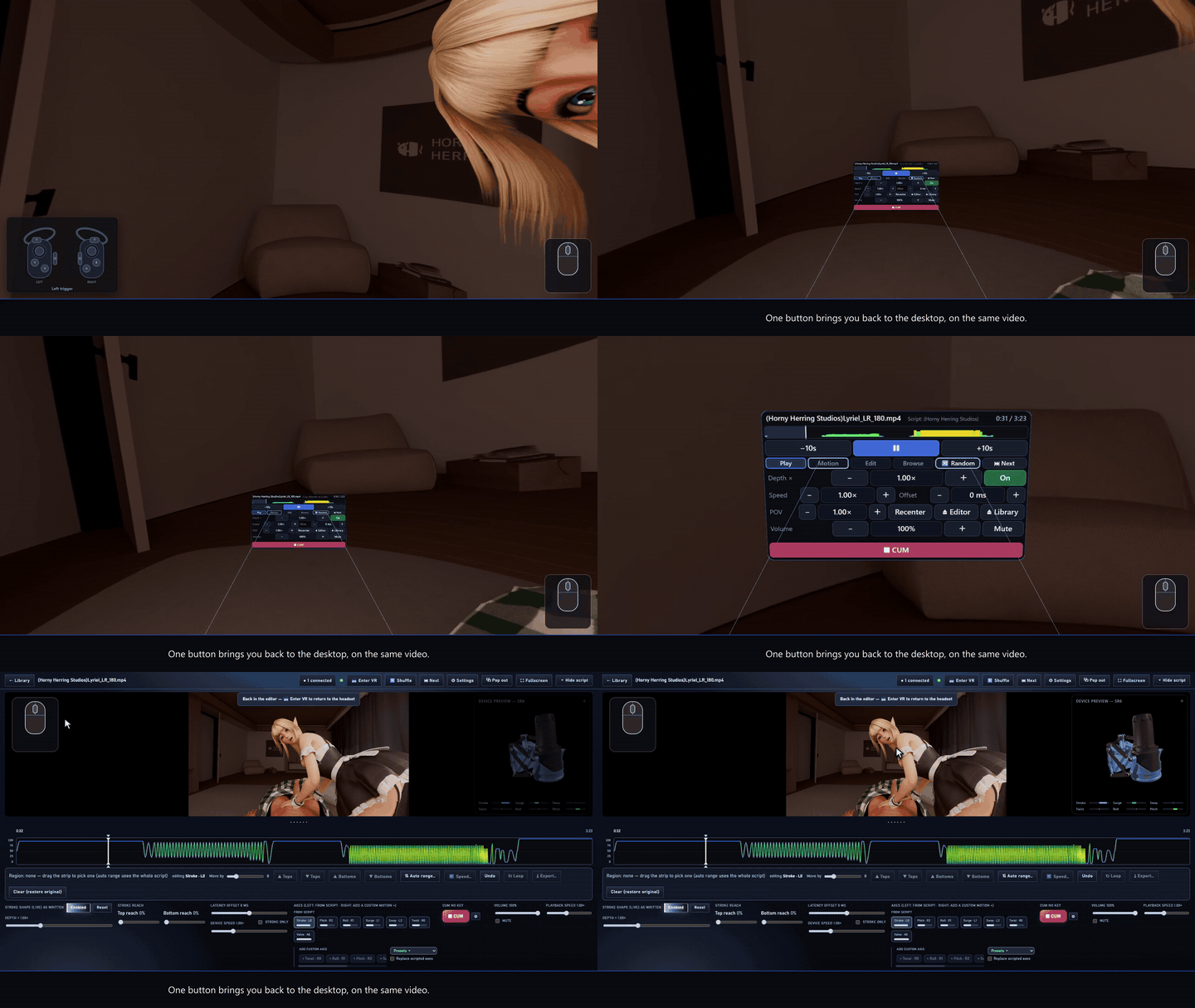
One button ends the session and puts you back on the same video on the desktop.
📡 Streaming scripts, reshaped into multi-axis
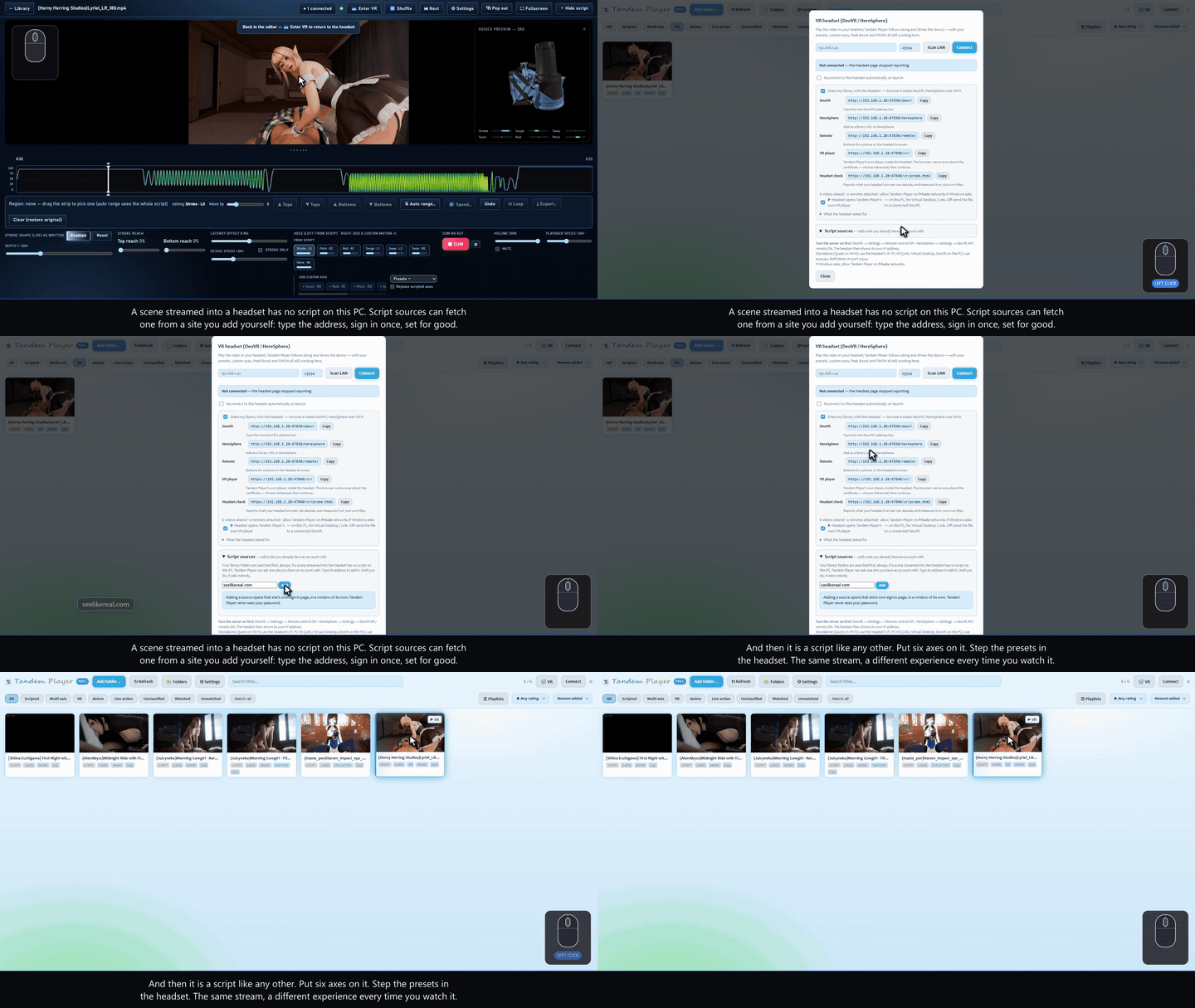
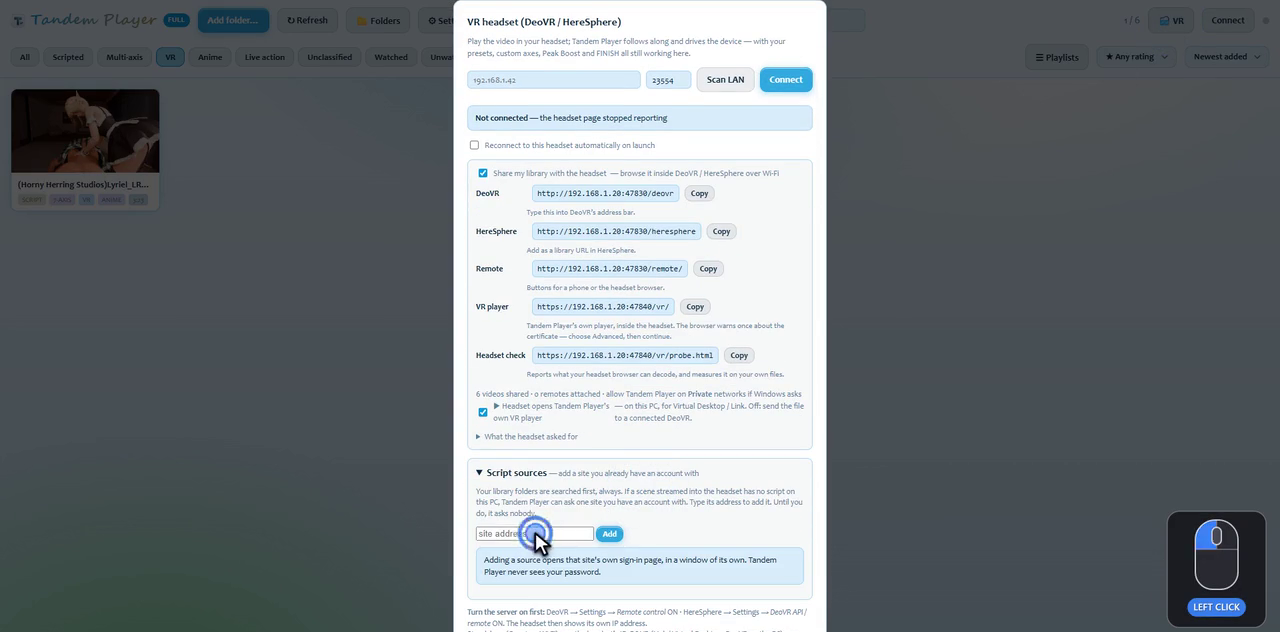
Scenes streamed into your headset from a VR site have no script on your PC. Add the site once, and Tandem Player fetches the script for whatever you're watching. It then reshapes that script like any other: presets turn it into multi-axis, and L0 length is set to whatever fits you in one click. Until you add a site, Tandem Player asks nobody.
🖱️ Stroke depth on the mouse wheel
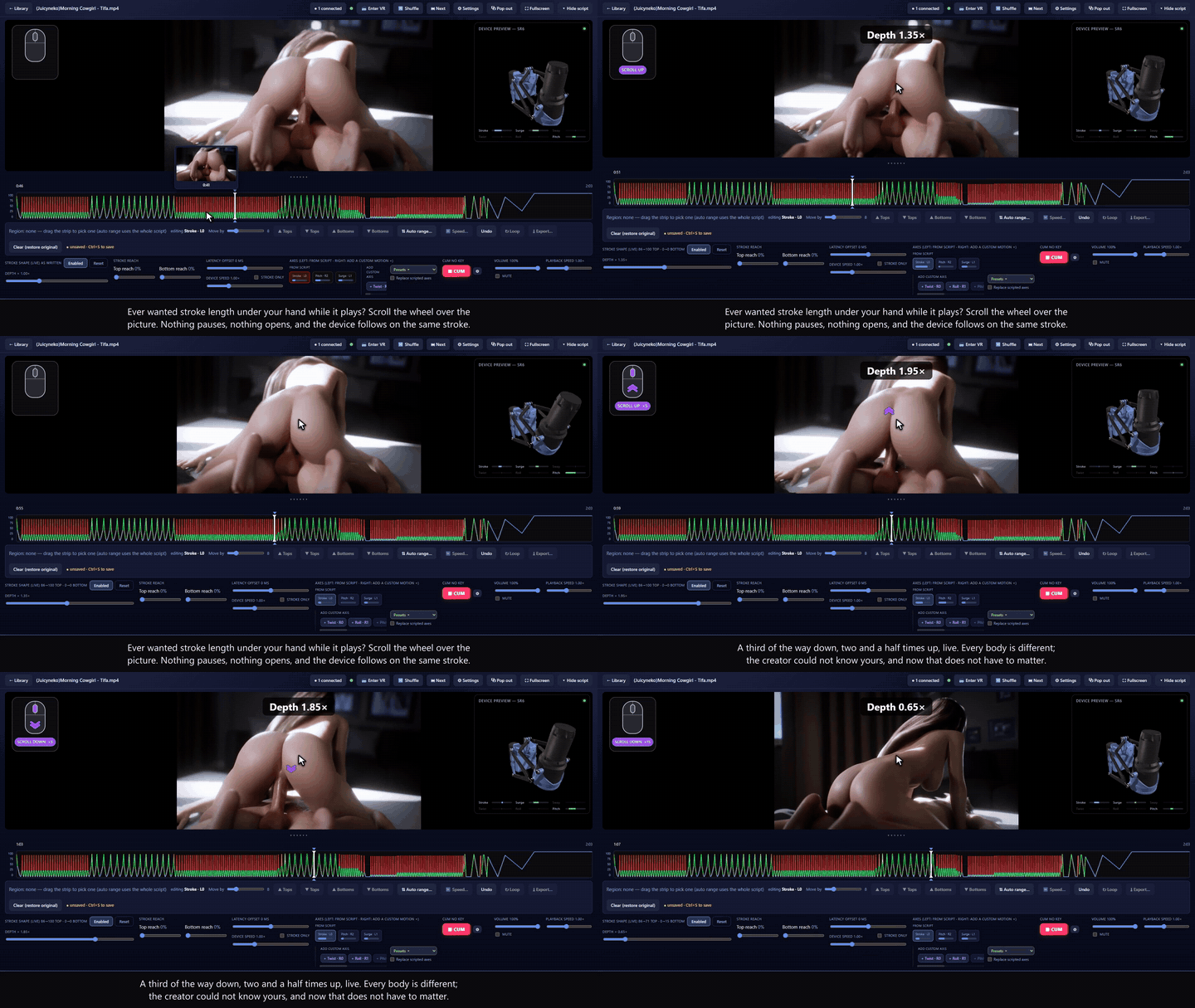
Scroll over the picture and every stroke gets longer or shorter while it plays, from 0.3× to 2.5×, stretched around its own centre so the soft parts stay soft. Nothing pauses: the new value shows for about a second and a half and fades, and the only thing that changes is the stroke. Click the wheel to snap back to exactly what the creator wrote.
🔒 Safety Mode
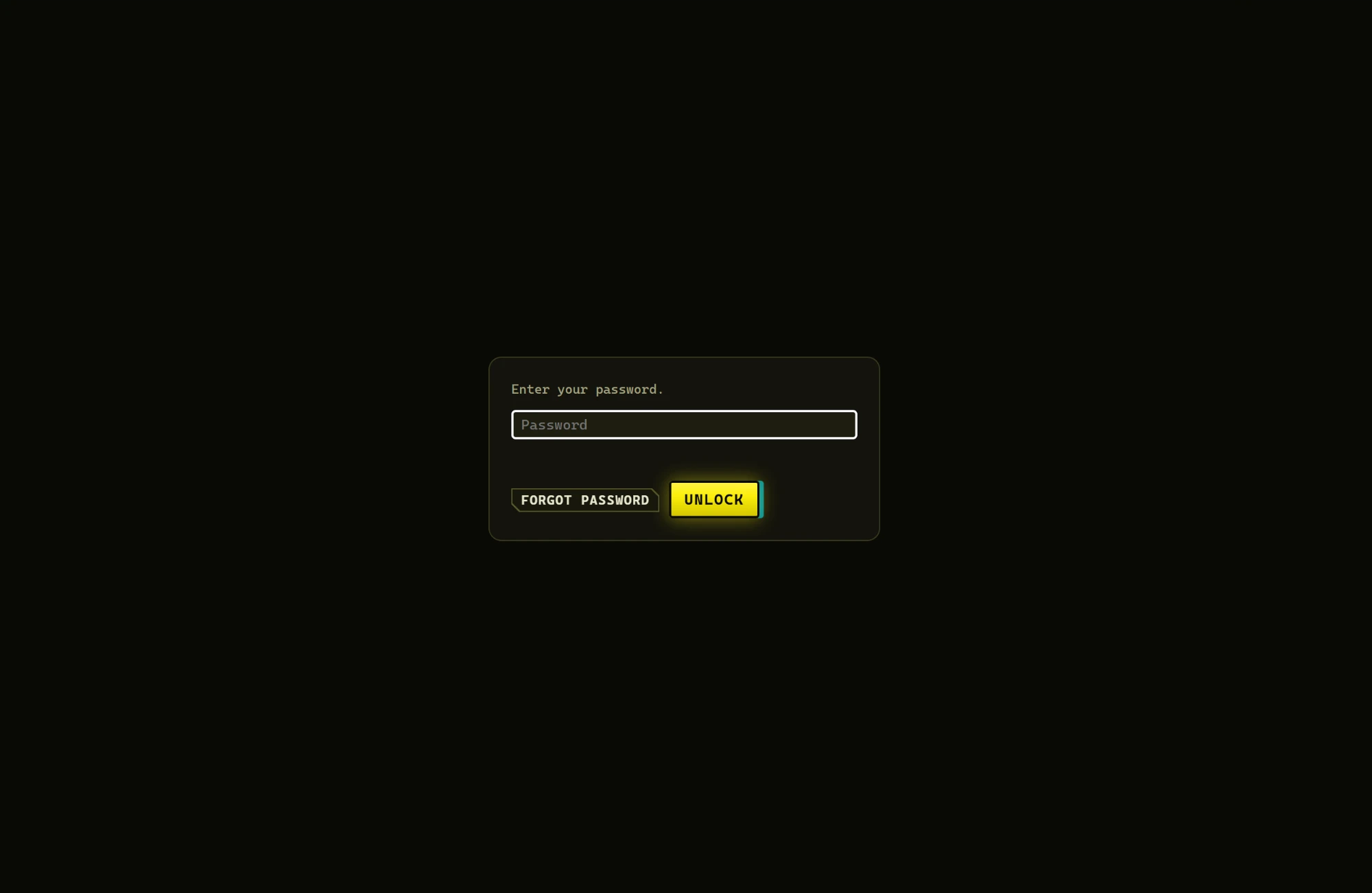
Put a password in front of the library. The lock screen is a password box and nothing else — no app name, no logo, no hint about what is behind it. If someone opens the app by accident they get three tries or "forgot", and then the password and the saved folder list are wiped and Tandem Player opens on an empty Add-folder screen with nothing else on it. Your videos aren't touched; add the folders back and the library returns. It doesn't look locked. It looks like a player nobody uses.
✨ Thoughtful features
The small things that make it pleasant to live with.
📺 Locked fullscreen, with no waiting for the cursor to hide
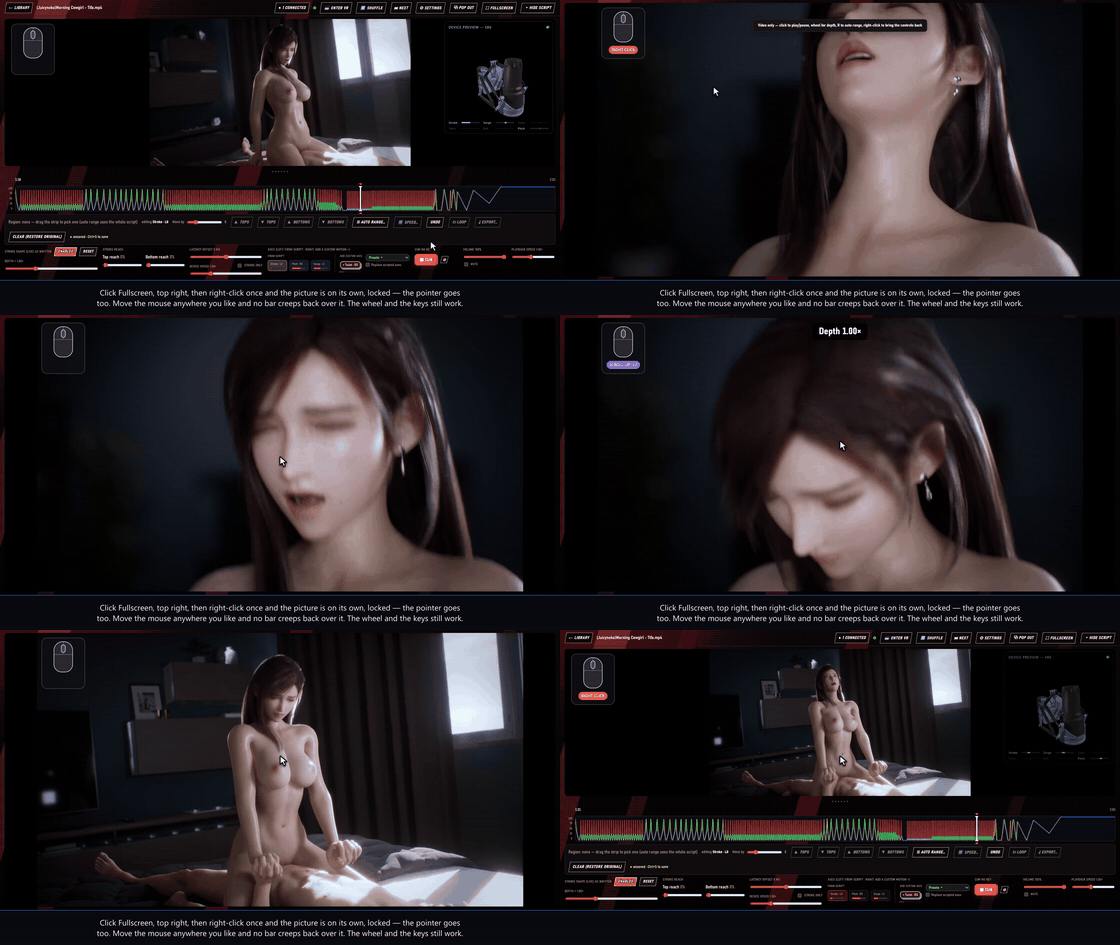
Click ⛶ Fullscreen in the top right — or double-click the picture — and then right-click it. The video is on its own and the pointer goes with the rest: move the mouse as much as you like and nothing creeps back over it. The wheel and every shortcut still work, and right-clicking again brings the controls back. Right-clicking in a window clears the chrome too, but the pointer only hides in fullscreen.
Since v1.1.1 you start there: clicking a video in the library opens it in fullscreen, so it is one right-click to a clean picture. Settings → Default settings → Open videos in fullscreen turns that off again.
🔴 The CUM button
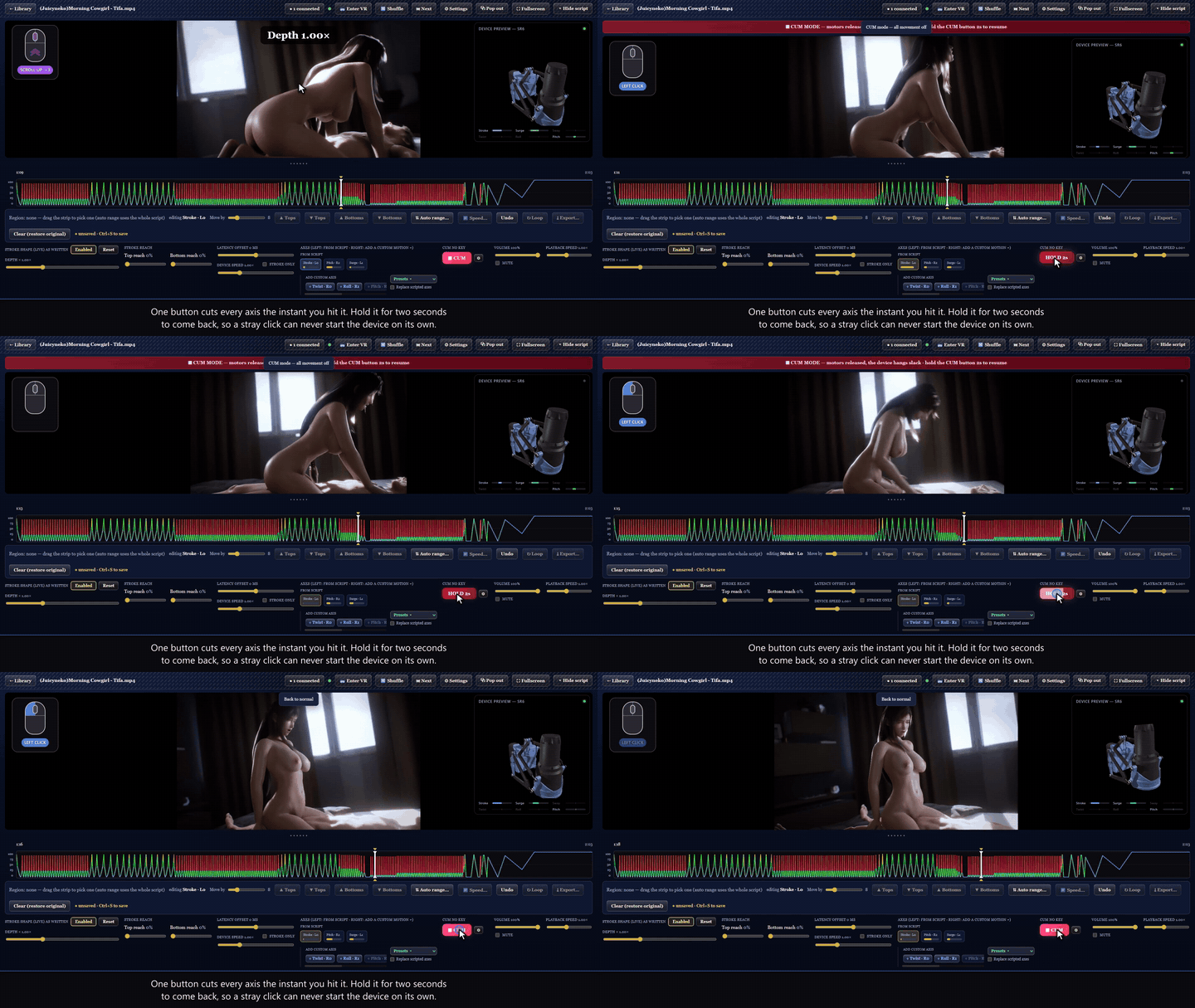
It stops every axis the instant you hit it — the stroke closing down to the bottom over half a second rather than freezing halfway up, everything else holding where the script left it. Hold it for two seconds to resume, so a stray click never starts the device again. It ships labelled FINISH; with a key you can put your own word on it, give it your own hotkey, choose whether the motors go limp or freeze in place, or hand it a climax script of its own.
⭐ Ratings, playlists and smart filters
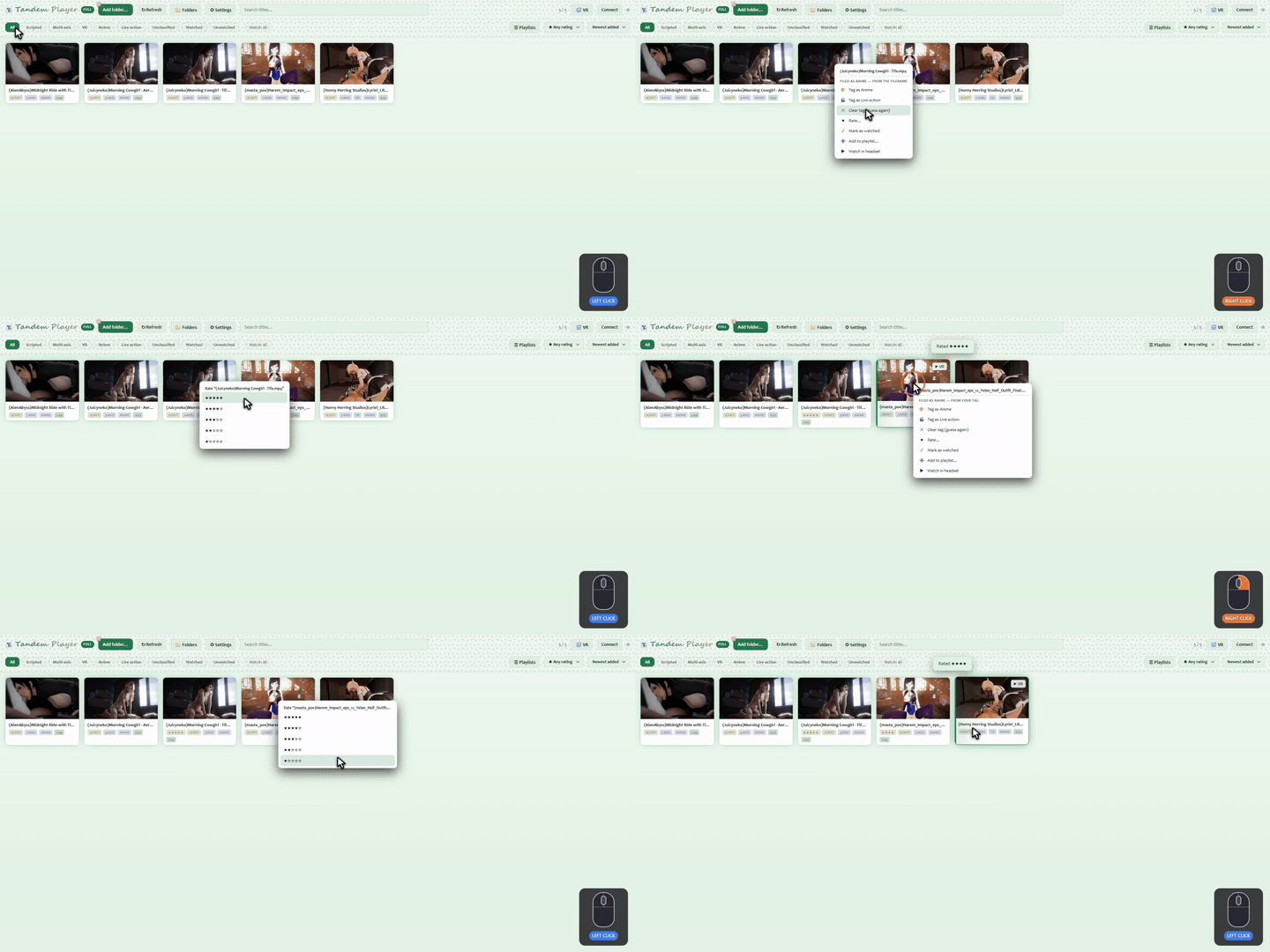
Right-click a card to rate it, and the rating filter cuts the library down to your five-star videos in one click.
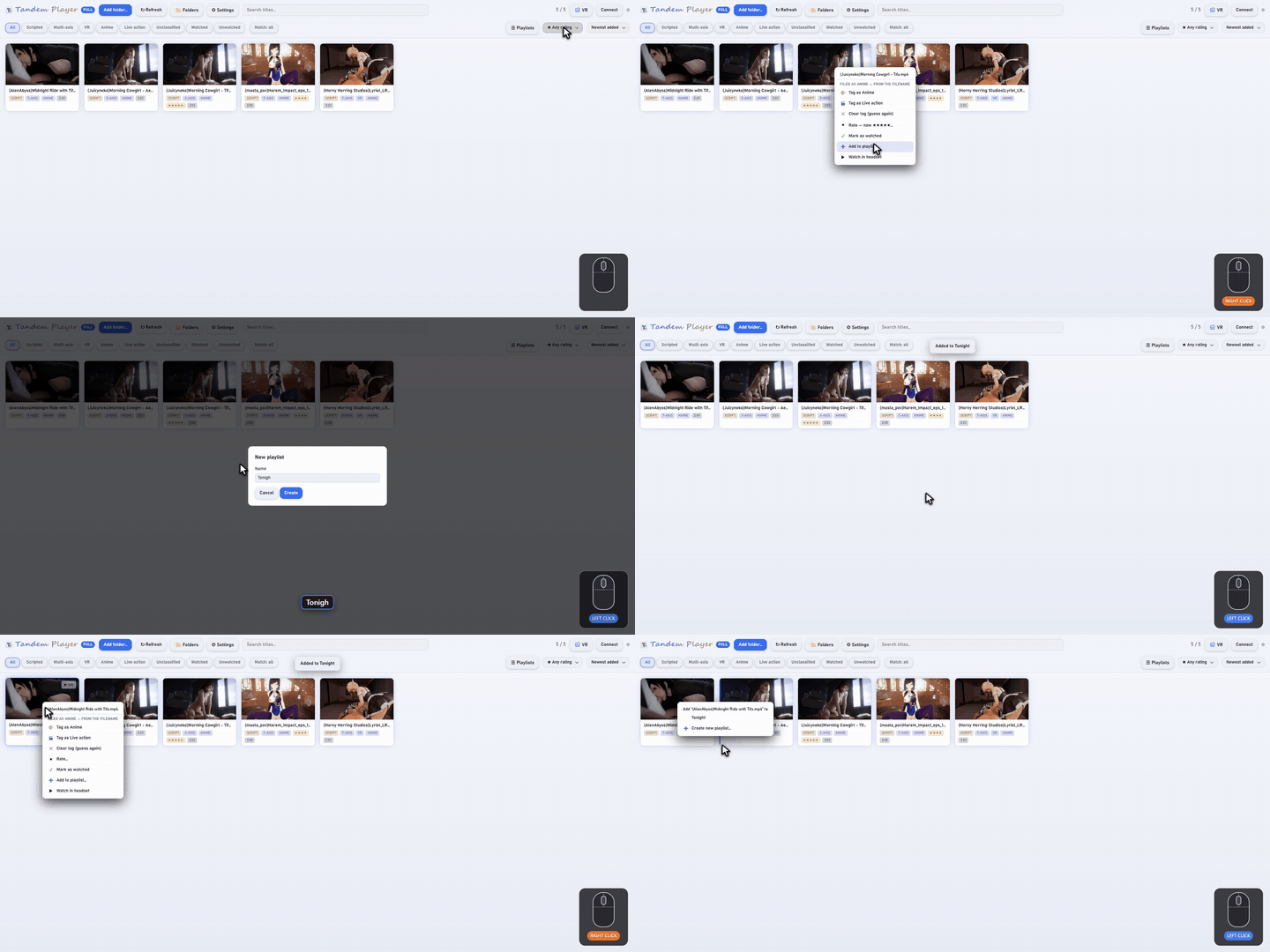
Playlists work from the same menu. You can combine filter chips (Scripted, Multi-axis, VR, Watched, Unwatched) with Match all or Match any, alongside search and sorting.
🎨 Anime or live action, one click apart
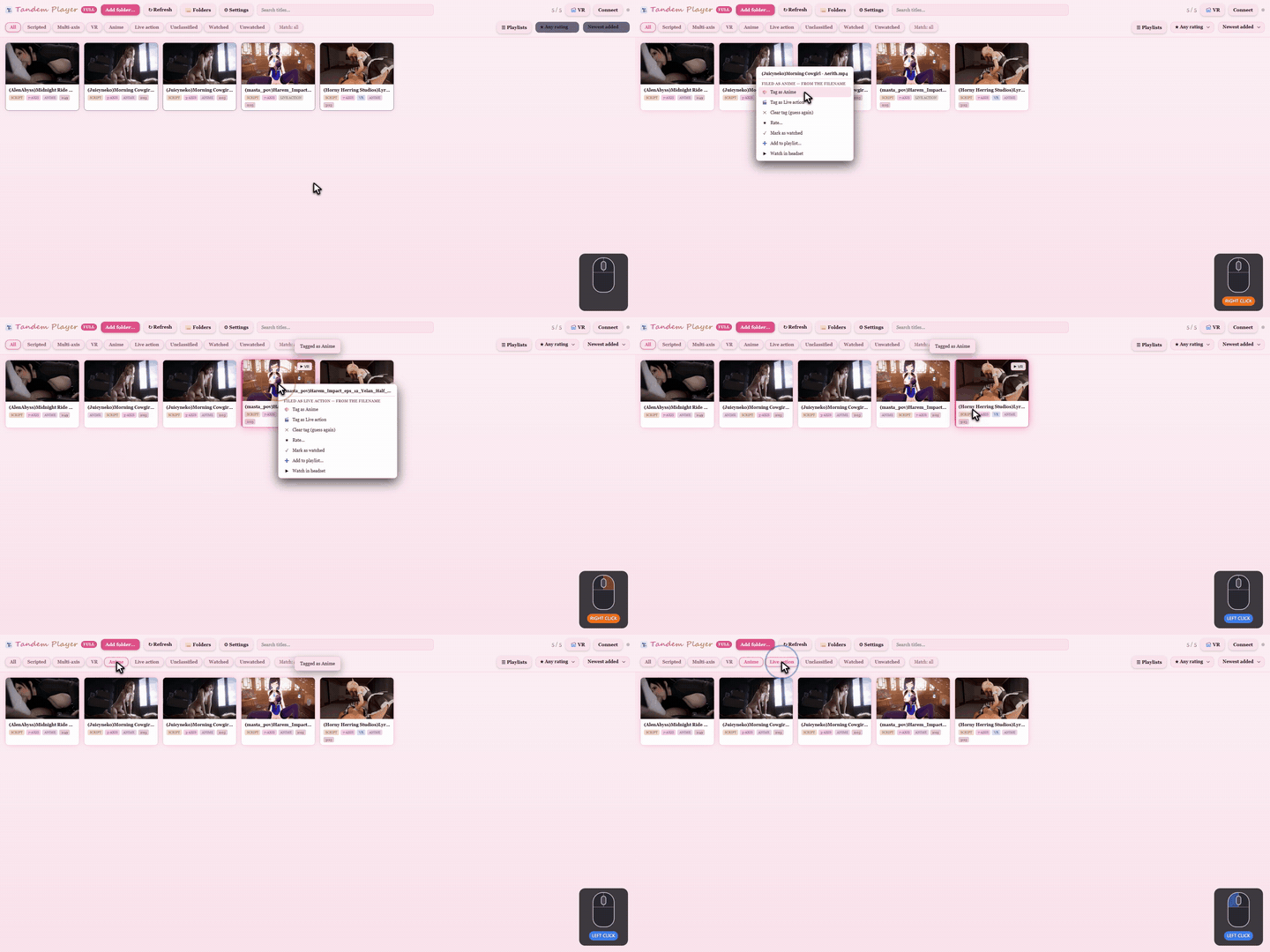
Tandem Player guesses each video's type from its name and picture. Right-click to correct any guess, and one chip then shows only anime or only live action across every folder.
🖼️ Change a video's thumbnail
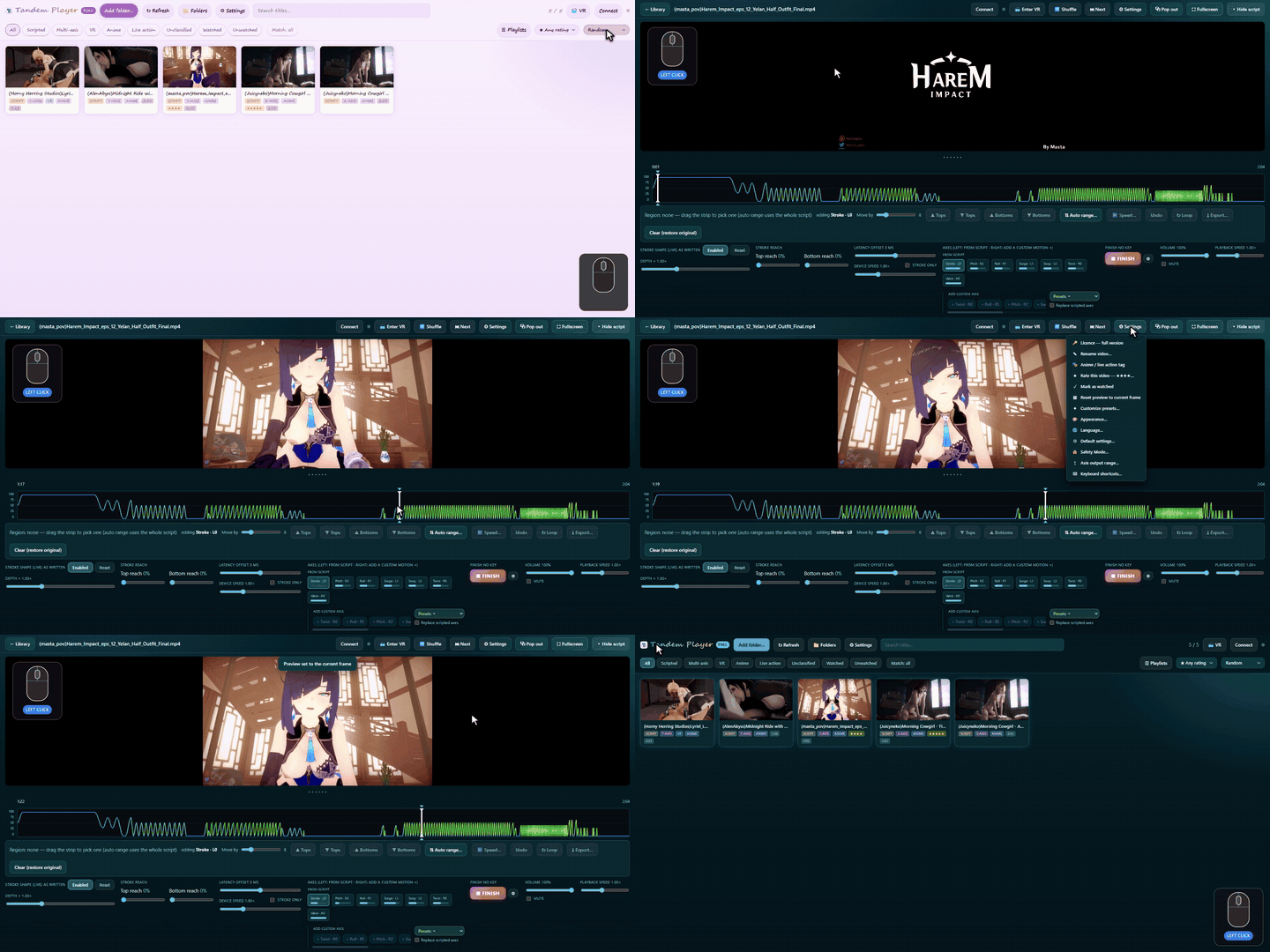
Don't like the preview a video got? Pause on a better moment and pick Settings → Reset preview to current frame. The card updates to match.
🎭 An interface you'll actually enjoy opening
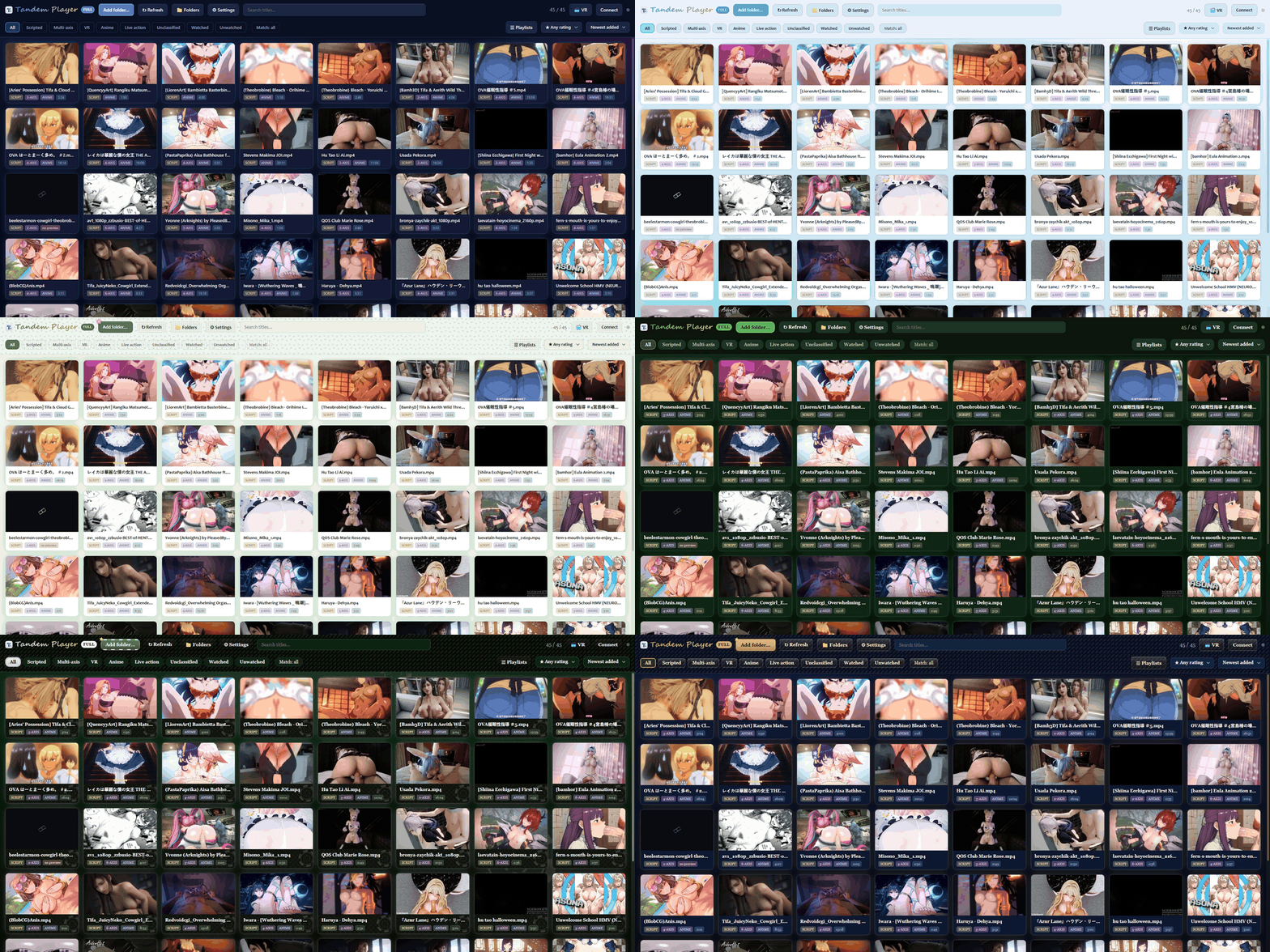
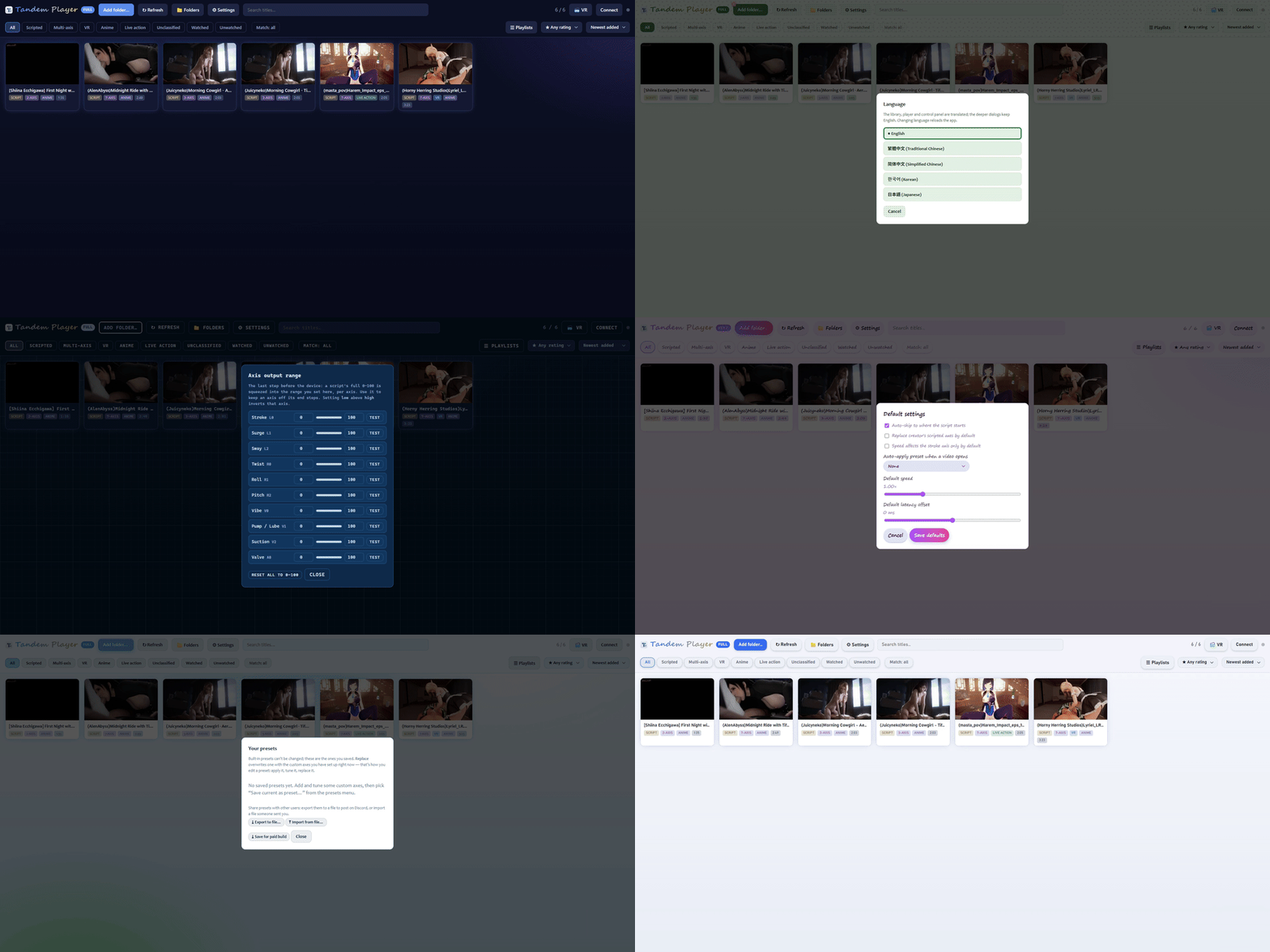
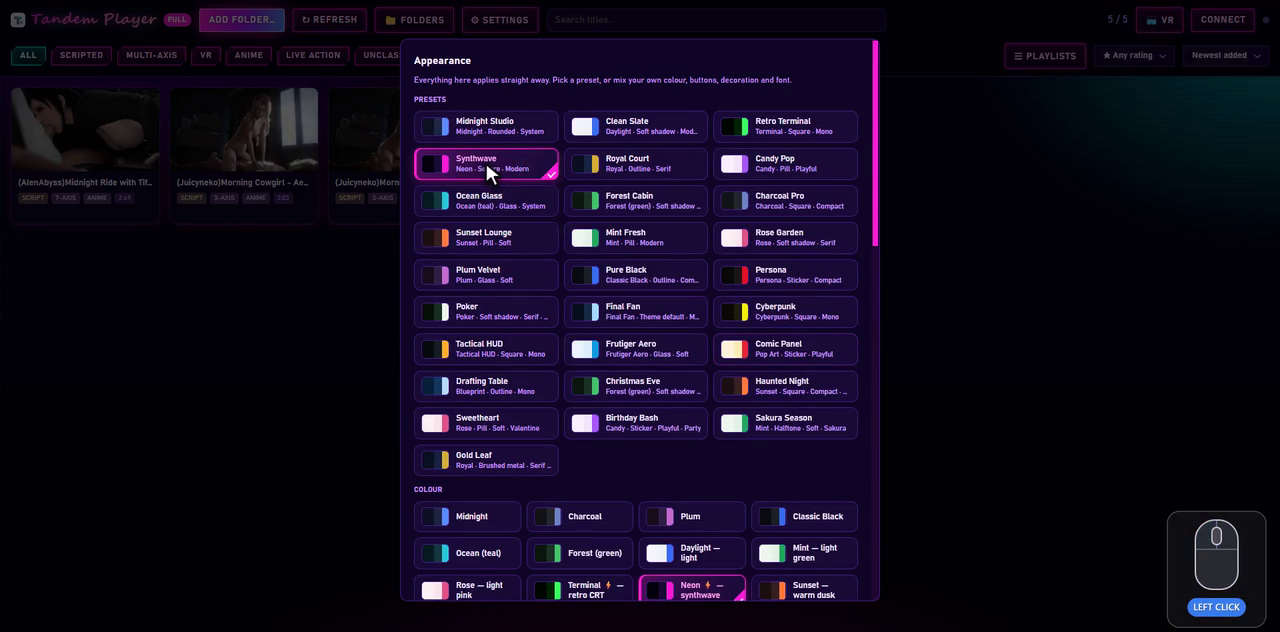
Nothing in here looks like a 2009 media player with a slider bolted on. There are thirty-seven ready-made looks, or you can mix your own colour, buttons, decoration, font and size. Nine are new in 1.1.3, styled after game interfaces, each restyling its own controls, and earlier ones nod to interfaces you already know — Persona 5, Final Fantasy and Cyberpunk 2077 — alongside a card-table Poker, a Tactical HUD, Frutiger Aero, a Comic Panel and a Drafting Table. Some are seasonal: Christmas puts a hat on the buttons, and Halloween brings a pumpkin and cobwebs.
A look is not a recolour of the library and nothing else. The player, the script editor, the settings dialogs and the VR panel all turn over with it.
And you can build your own. New in v1.1.1: + New theme opens an editor with fourteen colours over whichever look you are wearing — background, panels, text, the accent, the custom-axis colour — repainting the app live as you drag them. Share turns the result into a short block of text: paste it into a reply and anyone with a key pastes it back, or send them the file and they drop it onto the window. A theme is colours and nothing else. There is nothing in the format that can carry anything but a colour, so a theme from a stranger cannot do anything to your app except recolour it.
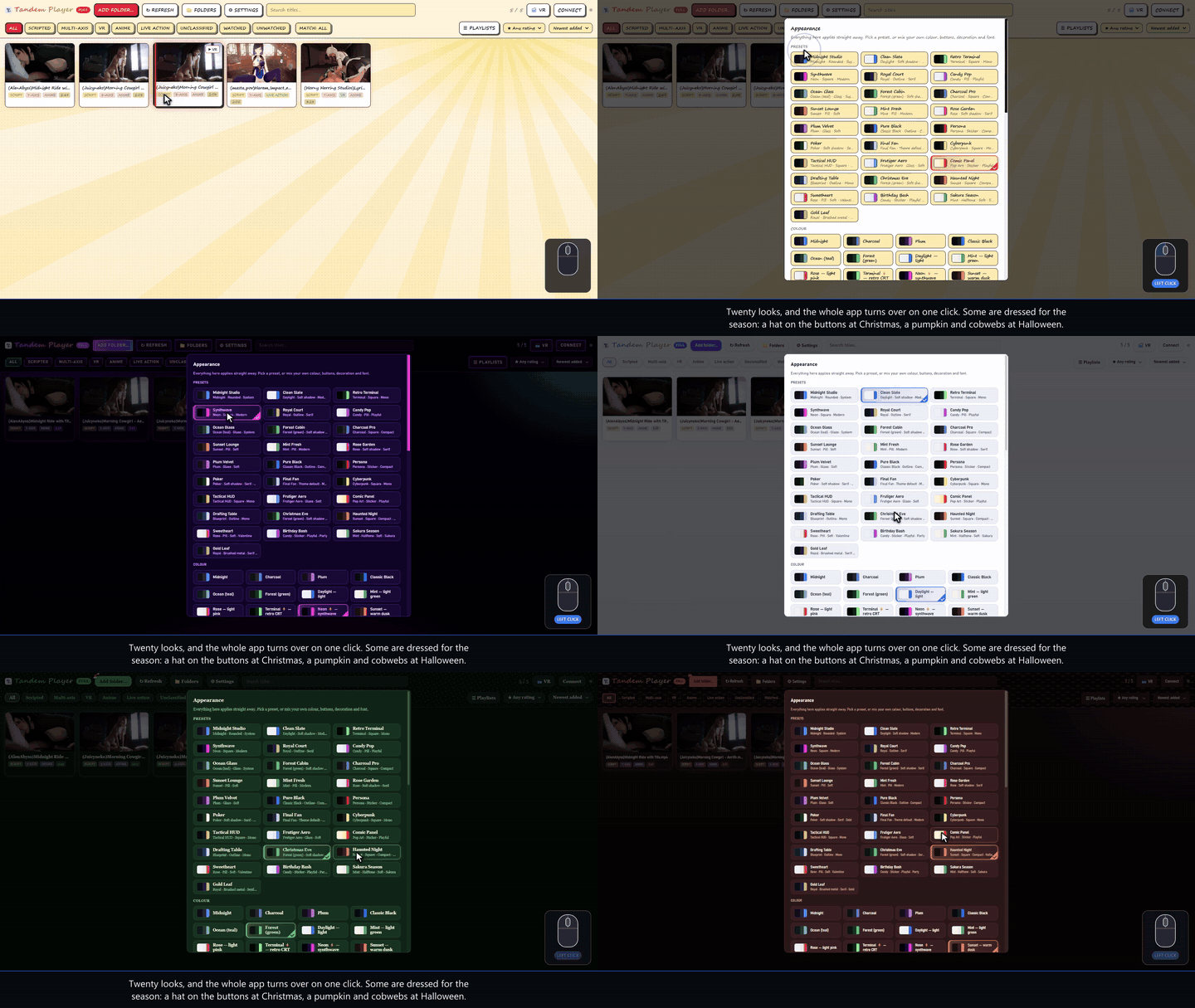
Changing it is one menu and one click. Nothing reloads, and nothing you were watching stops.
🌐 Multiple languages
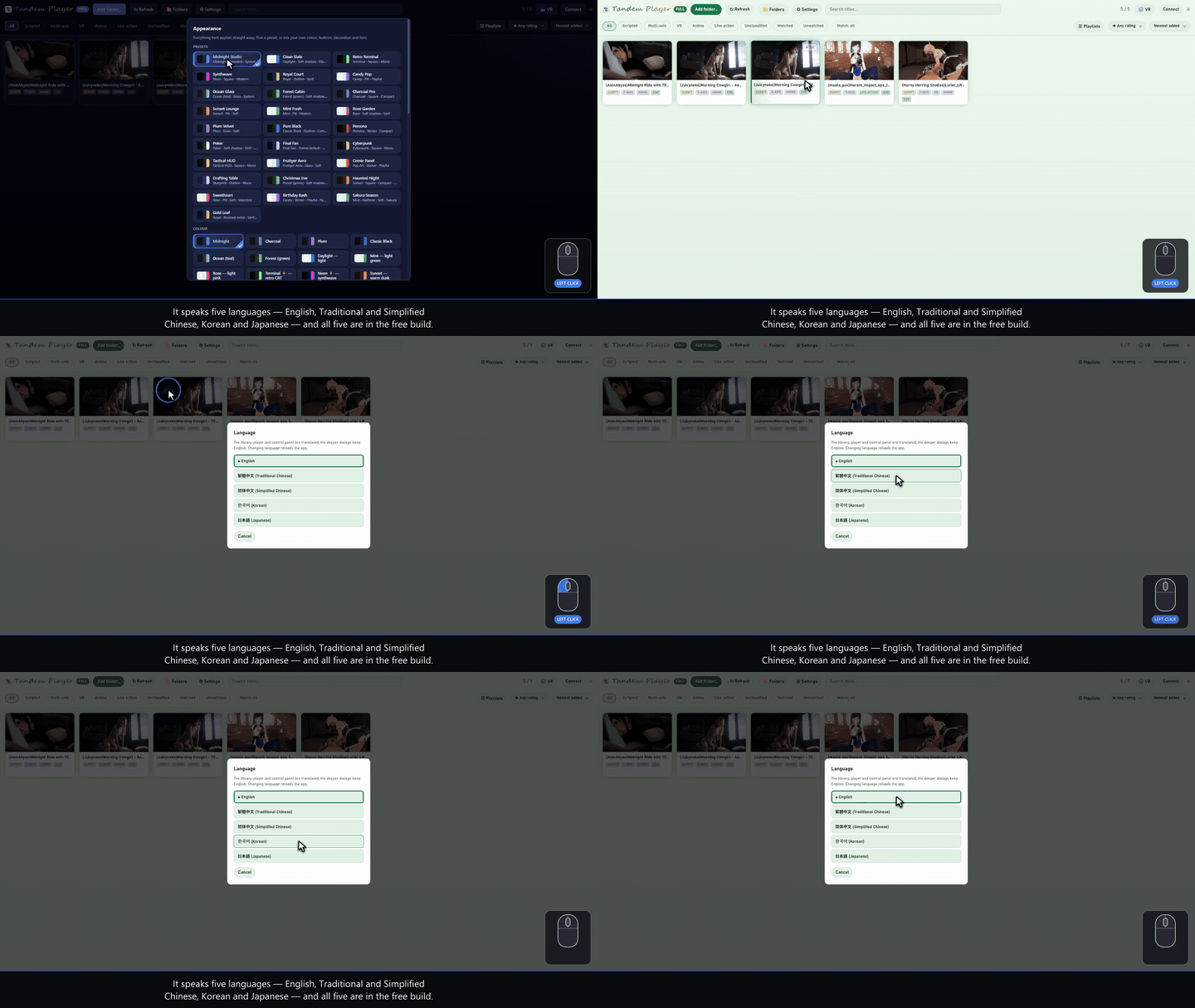
The app is available in English, Traditional Chinese, Simplified Chinese, Korean and Japanese. Every menu, dialog and message follows the language you pick.
⏩ Two speed sliders, not one
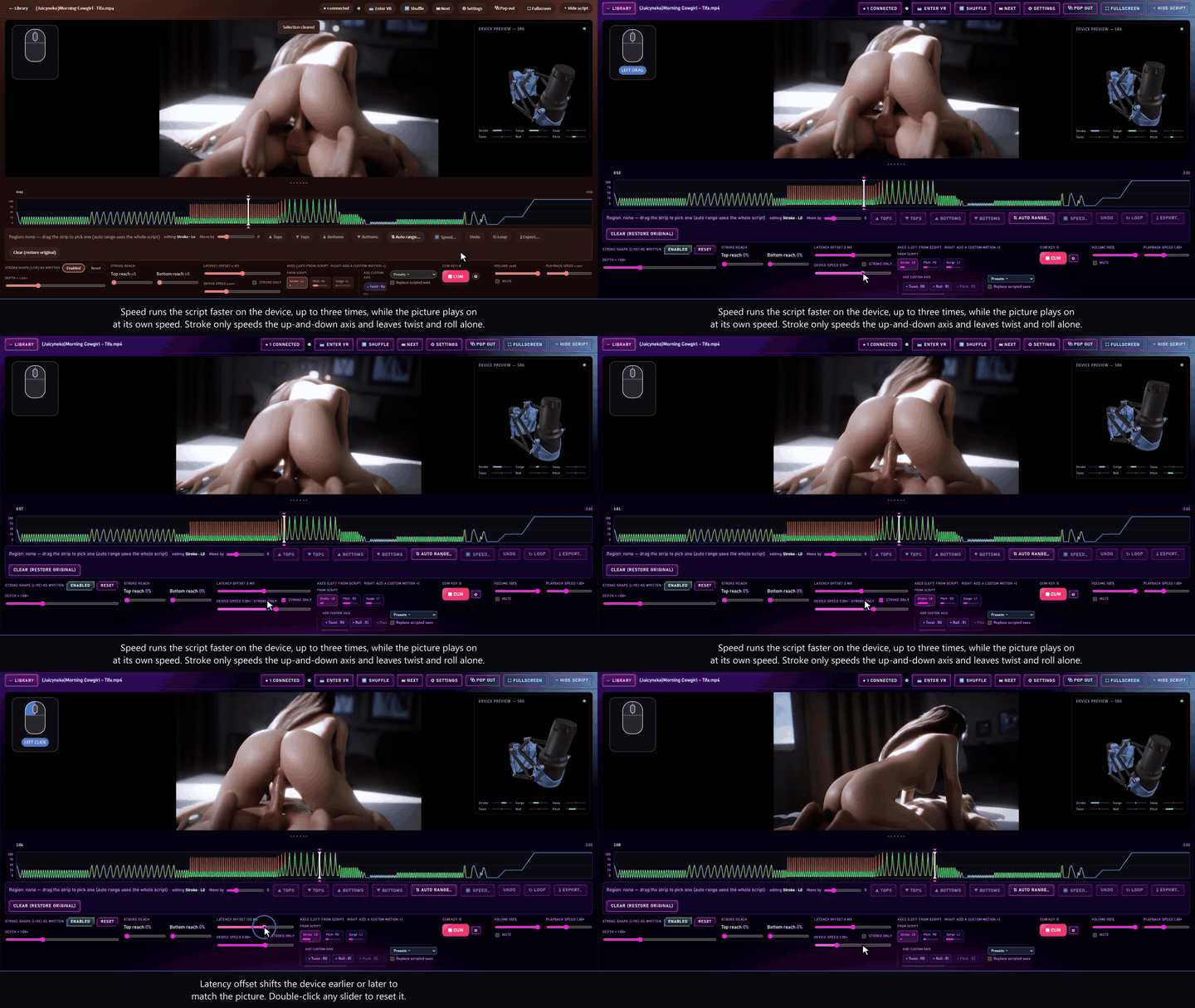
Device speed runs the script faster or slower, 0.25× to 3×, while the picture keeps playing at normal speed — so you can take twice the strokes out of a slow scene without touching the film. Tick Stroke only and just the up-and-down axis speeds up, leaving twist, roll, surge and any custom axes at 1×. Playback speed is the other slider and does the opposite: it moves the picture, 0.25× to 2×, and the script follows it. Latency offset shifts the device up to half a second earlier or later.
New in 1.1.3: below 1×, device speed really slows the device — fewer strokes, each as deep — or, with Speed limit ticked, every stroke kept and capped in speed instead.
📤 Export every edit, on every axis
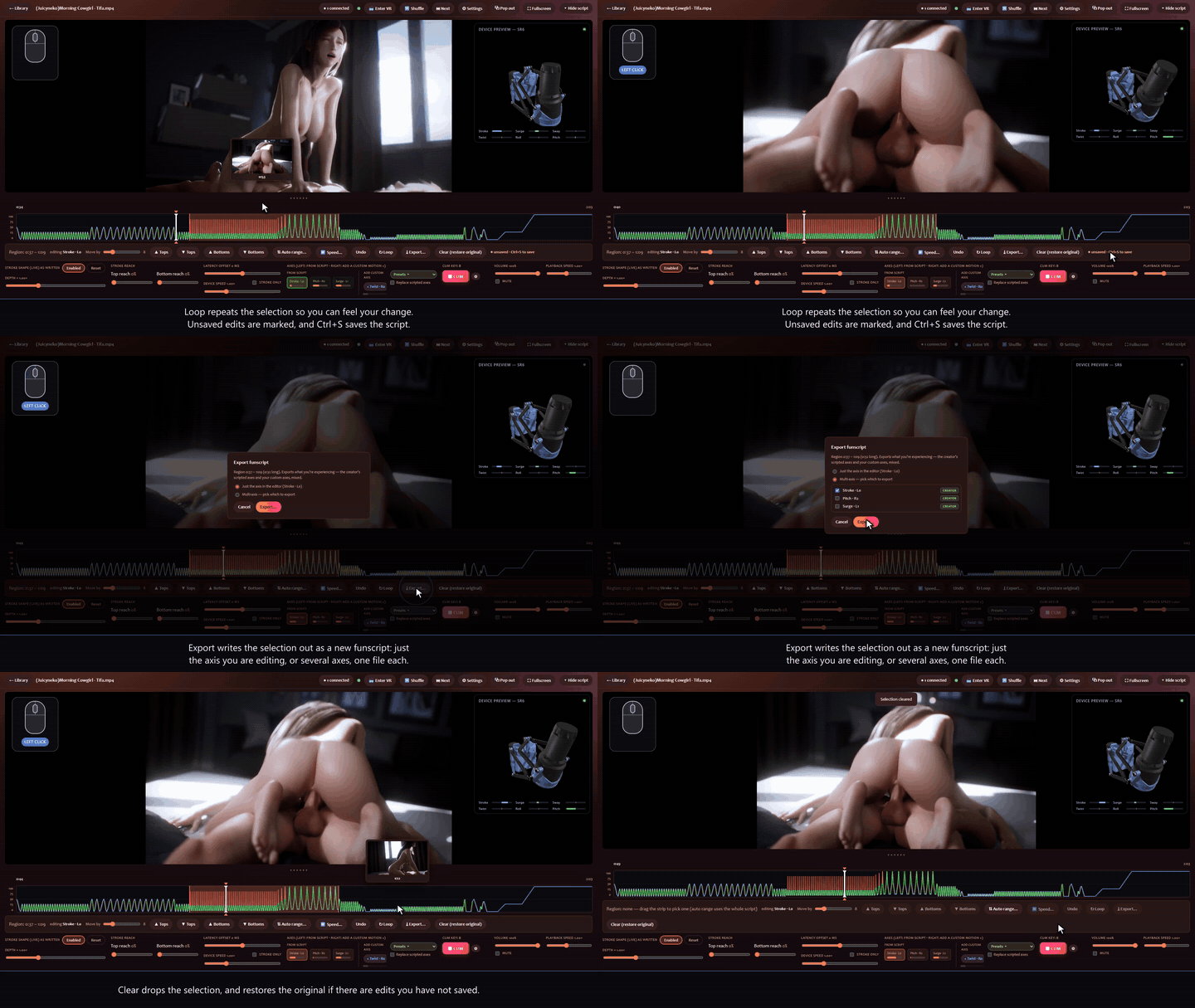
Save writes your edit back into the funscript and keeps a .bak of the original. Export writes it out as new funscript files, one per axis, and leaves your originals alone.
⌨️ Your keys, your controller
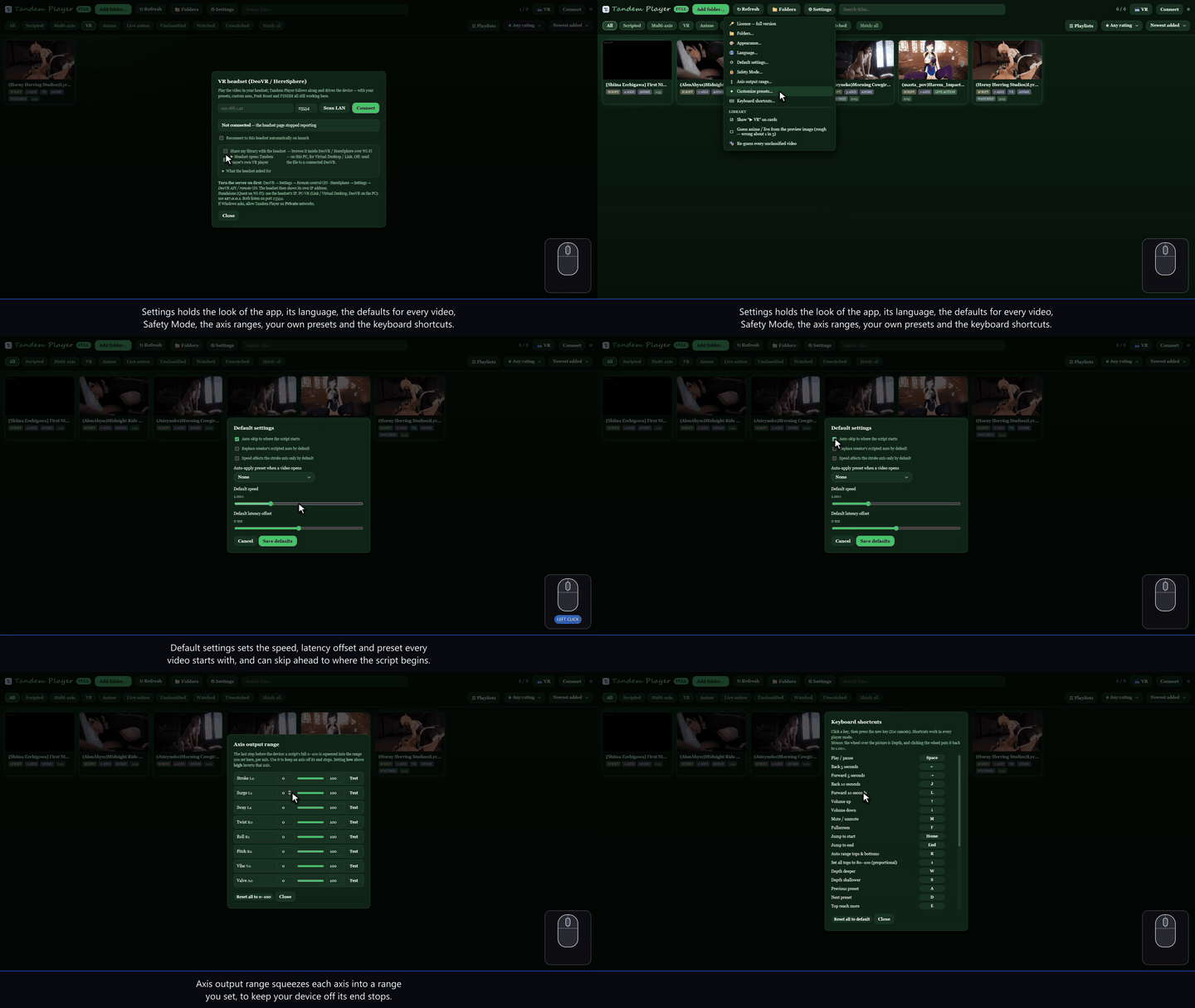
All thirty player actions can be remapped, and so can every VR controller binding. Axis output range keeps each axis off your device's end stops, and a Test button walks the axis to each end.
📦 The basics
What you'd expect from a player, done properly.
📁 Library with thumbnails, unlimited folders
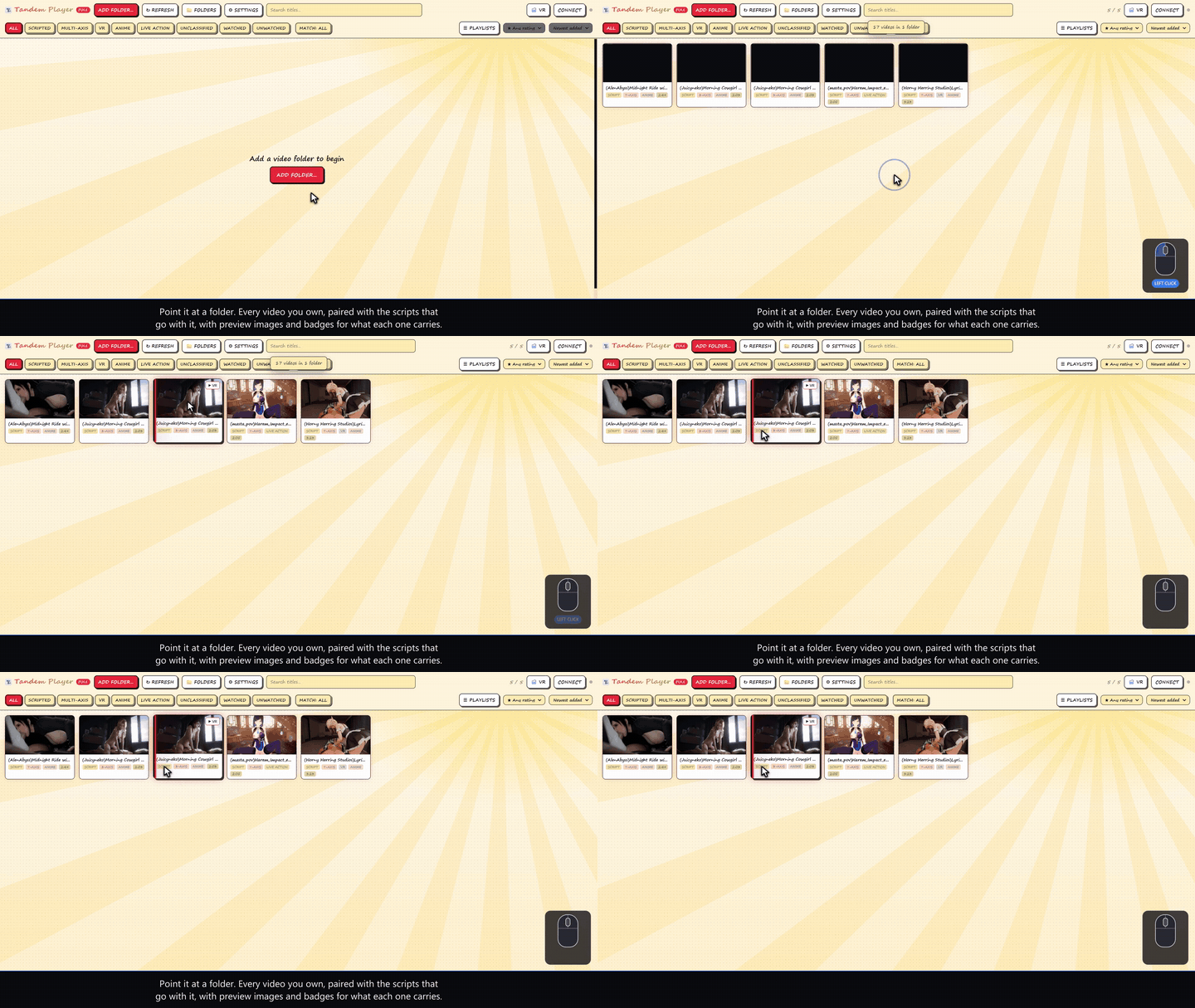
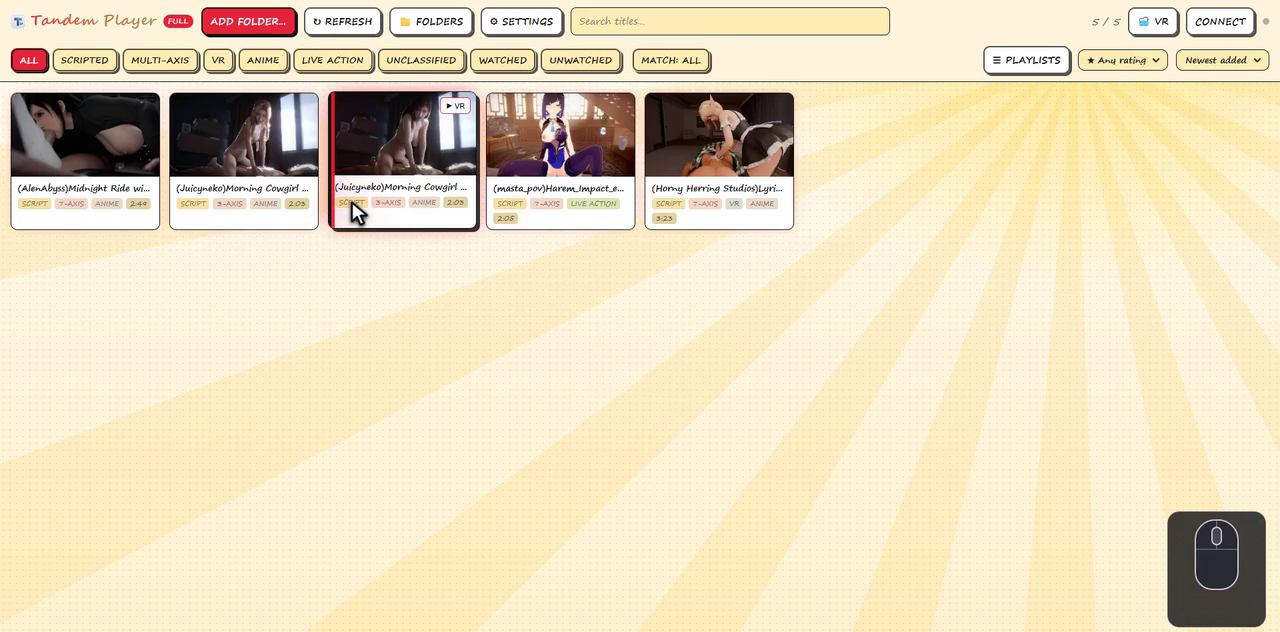
Point it at a folder and every video is paired with its funscripts, including companion axis files such as name.twist.funscript. Each card gets a preview image, plus badges for the script, the extra axes, VR and running time.
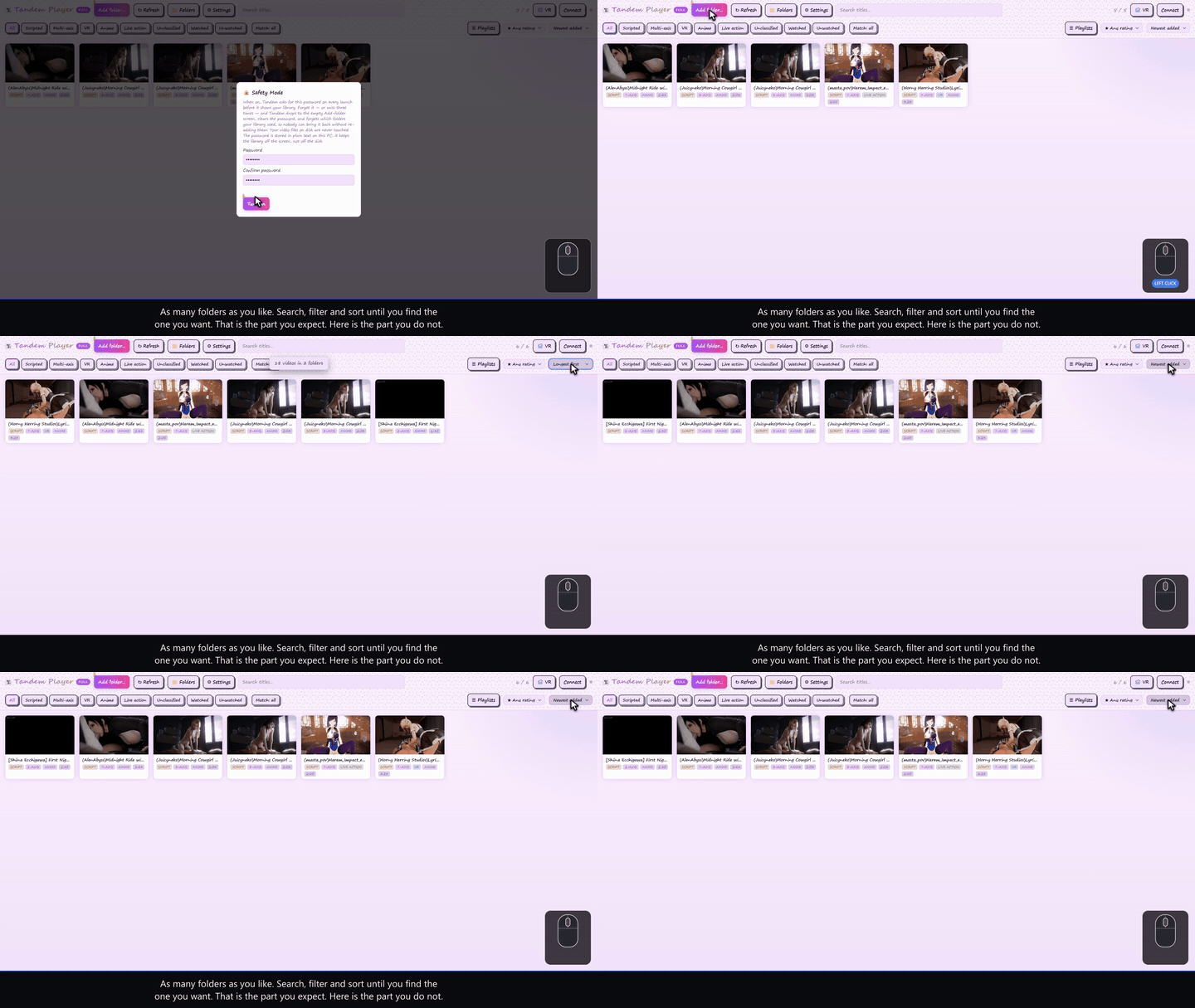
Add as many folders as you like, and search, filters and sorting work across all of them at once. New in 1.1.2, a tab for each folder runs across the top, so you can browse one folder at a time or All folders together — Settings → Show folder tabs hides the row.
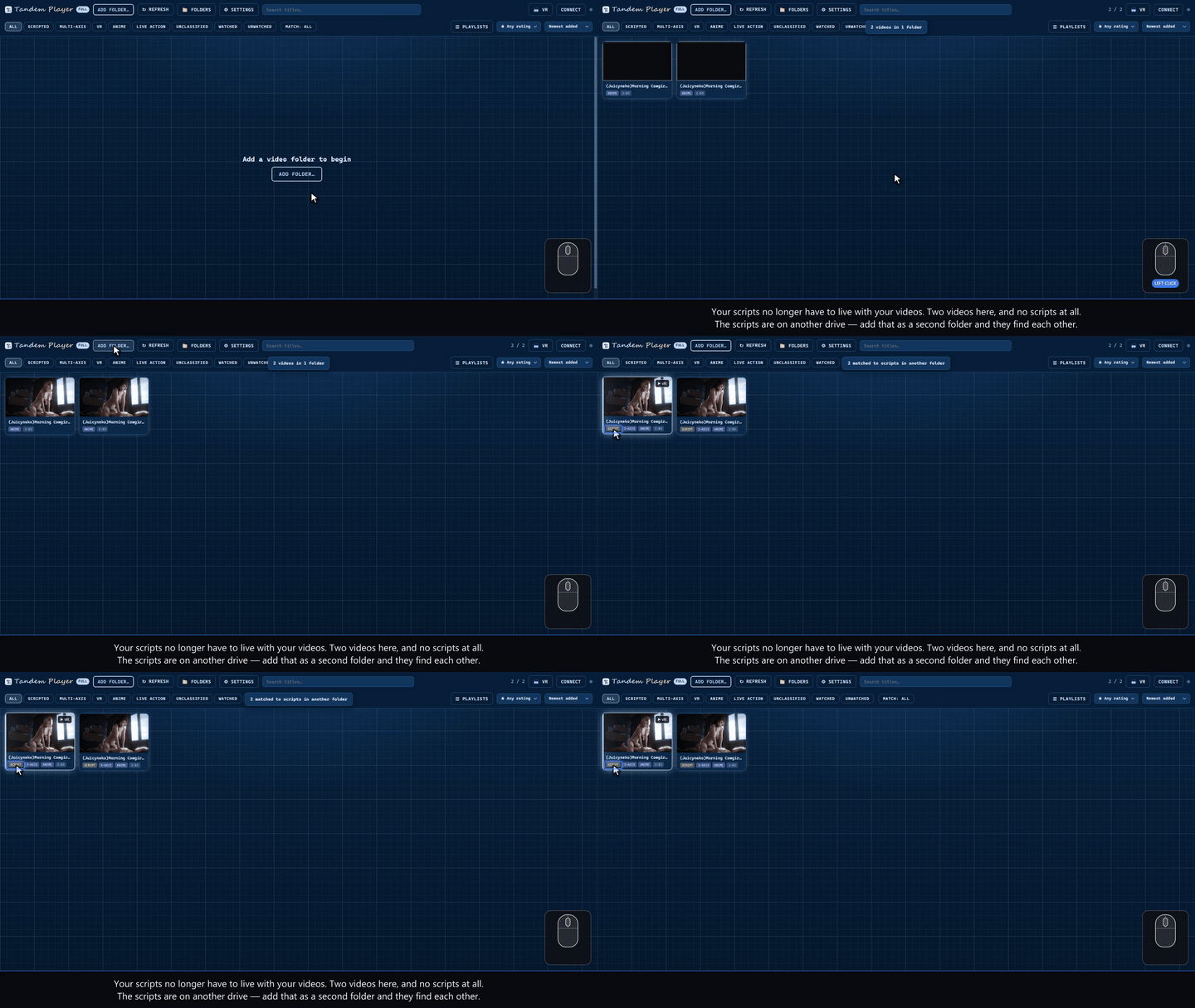
Your scripts don’t have to sit beside your videos, either. Add E:\Videos and D:\funscripts as two separate library folders and Tandem Player pairs them up by name across both — nothing has to be nested inside anything. Scripts one level down, in a Scripts\ subfolder, are found too.
✅ Pick many at once
Drag a box across the cards, or shift-click from one to another, and the bar along the bottom acts on the whole selection: add to playlist, rate, tag anime or live action, mark watched or unwatched. Select all takes the lot as the filters have left it, Esc clears, and with nothing selected a click still just opens the video. Asked for by users, and in the build since v1.1.1.
🎲 Random order, and shuffle to next
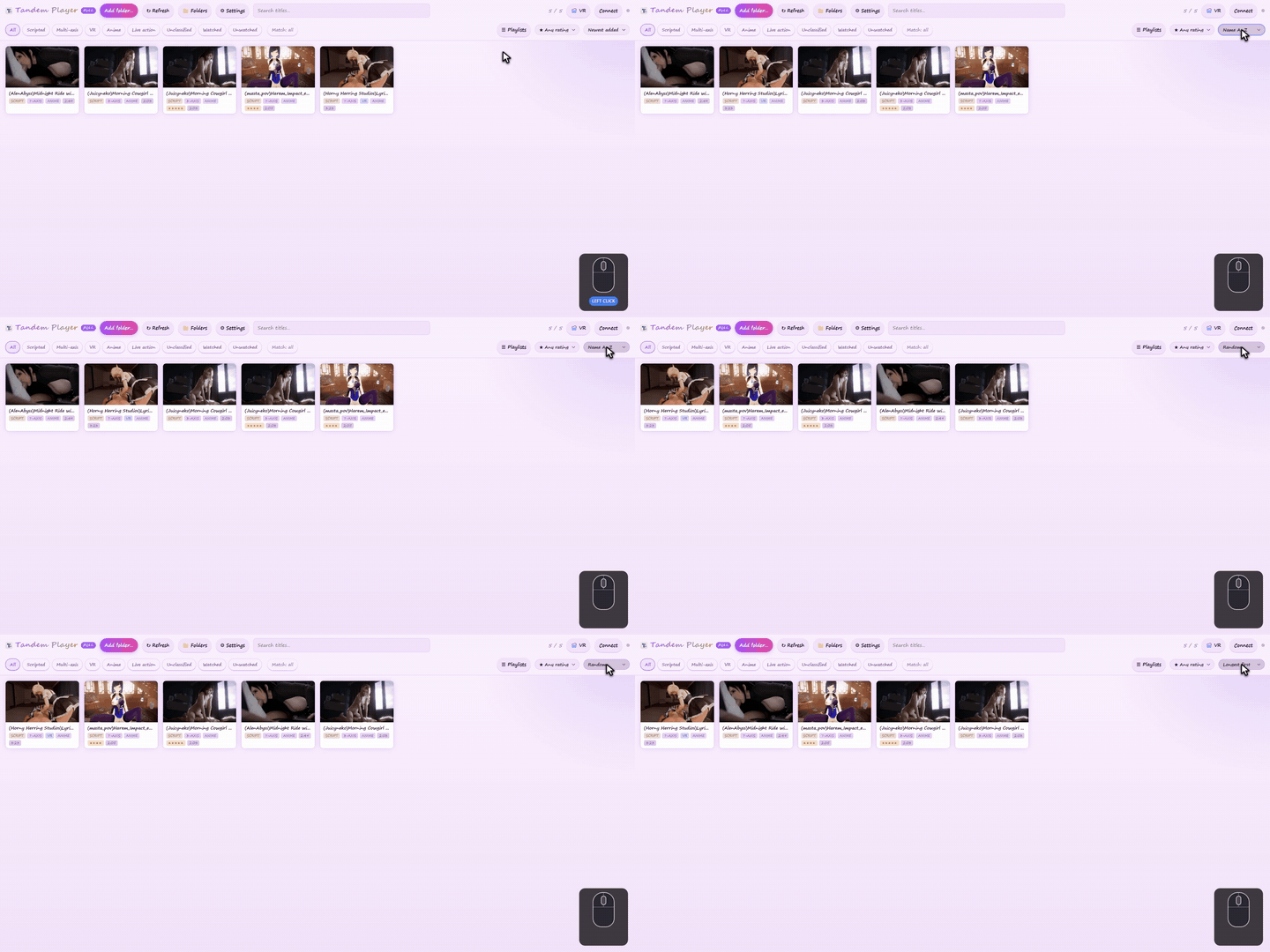
Sort by date, name, length or folder, or at random.
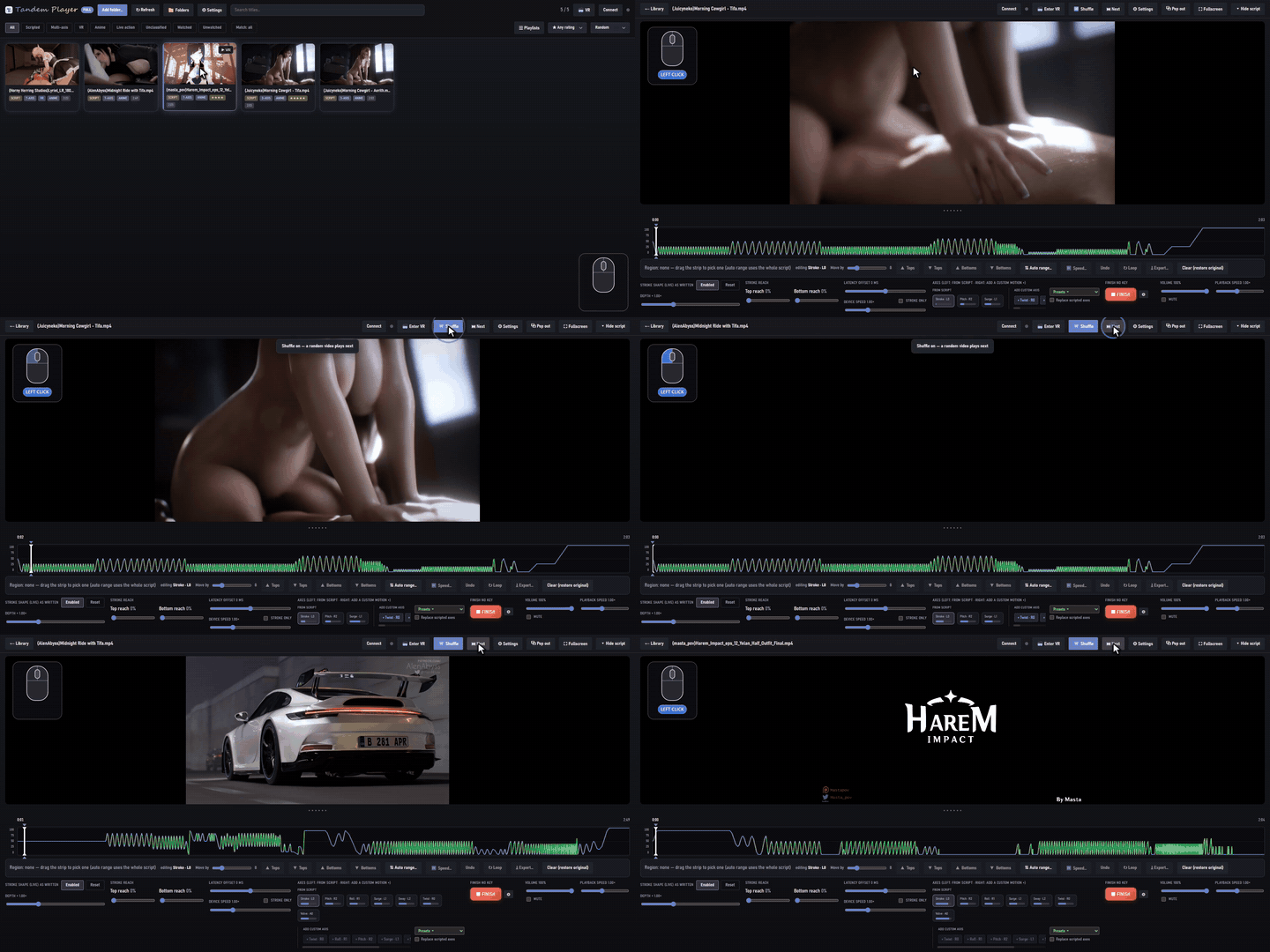
Turn on Shuffle and the next video is a surprise. Next jumps straight to the next one.
📈 Heatmap strip, smooth playback
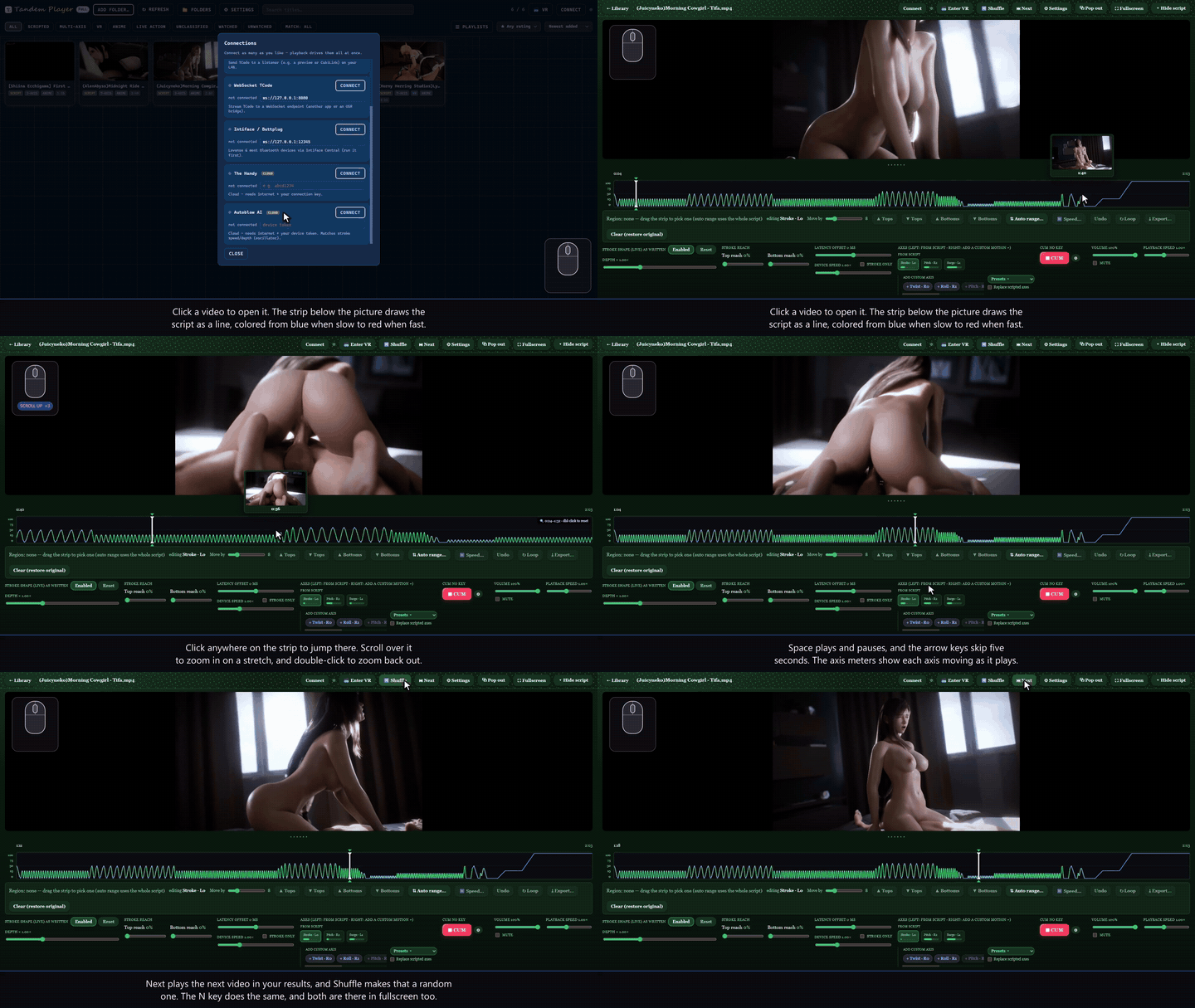
The strip under the picture draws the script from blue (slow) to red (fast). Click to seek, scroll to zoom, and drag to select. Motion is interpolated between points, so the device moves smoothly instead of stepping.
🔌 Devices
| Serial | SR6, OSR2 and other T-Code devices over USB |
| UDP / WebSocket | T-Code to your own bridge, simulator or preview |
| Intiface | everything Buttplug.io supports, including the Lovense Max 2 with its own Squeeze axis |
| Direct | The Handy (firmware 3 and 4, Handy 2 included), Autoblow |
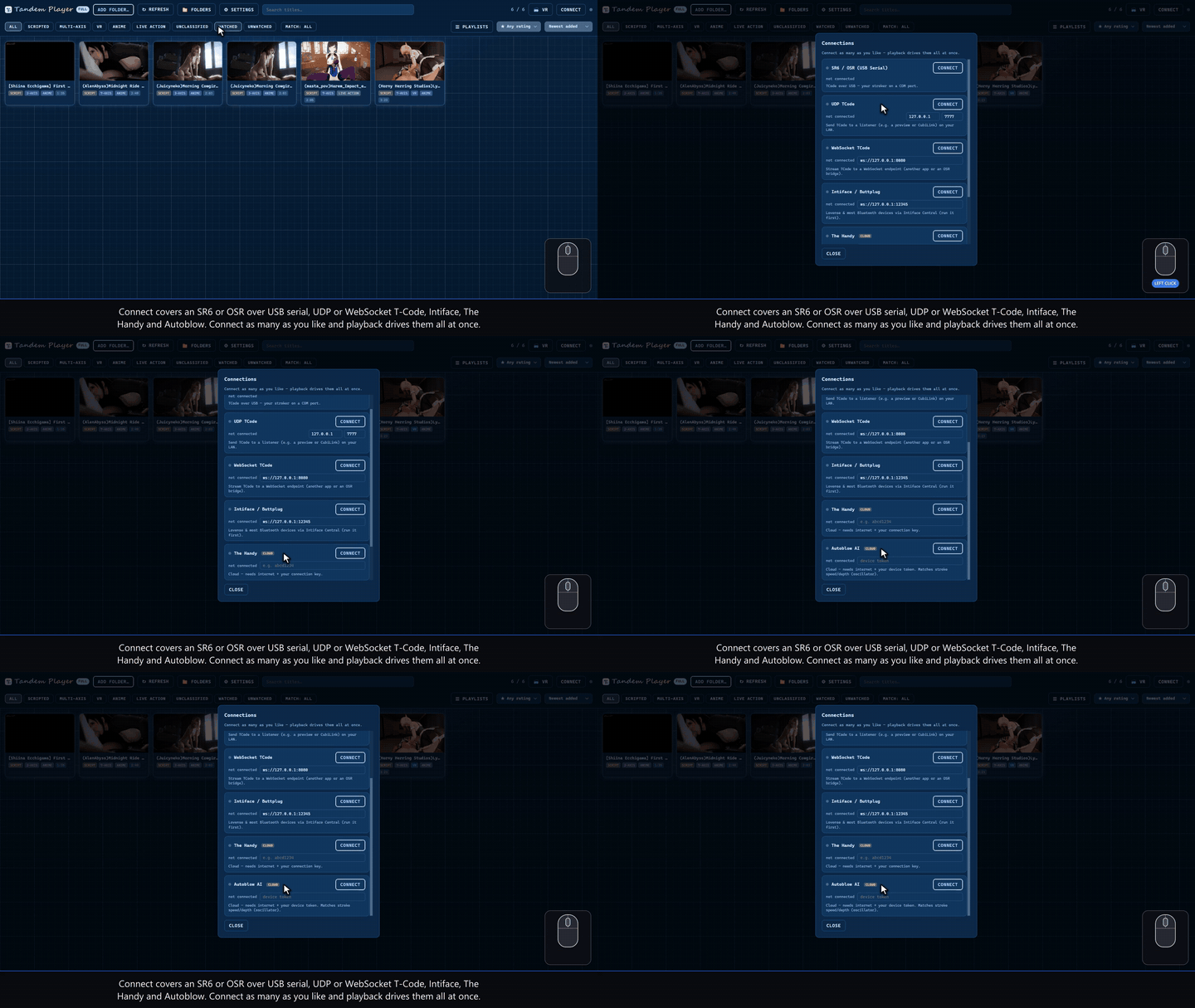
You can connect several at once, and they're all driven together. Axis output range settings squeeze each axis into limits you set, so a device never runs into its own end stops.
🚧 Features in development
These are on the list. None of them has a promised date, so comment or DM if one of them matters to you:
- 📱 Mobile and cardboard VR
- 🎮 Mobile control
- 🔗 Game integration with CubiLink, EDI and others
- 💬 Subtitle file recognition and subtitle generation
- 🤖 AI-generated L0 scripts for videos that have none
- 🔀 Alternative scripts per video, switchable on the fly (though the range of control in here means you likely won't need them)
- 🌐 More languages
- 🔖 Presets that switch on their own at marked points in the video, instead of only on a keypress
- ⏳ Edging mode: the video keeps playing while the device stops
- 💡 and more, so send your suggestions
⚖️ Free edition vs licence key
The free edition is not crippled. Every device type, the whole library, ratings and playlists, the VR player and all thirty shortcuts are included. A key buys the range of the live controls and the tools that write to your scripts.
| Free | With a key | |
|---|---|---|
| Library, search, filters, preview images, unlimited folders | Yes | Yes |
| Separate video and script folders, paired by name | Yes | Yes |
| Ratings, playlists, random sort, shuffle | Yes | Yes |
| Box-select many videos: playlist, rating, watched in one go | Yes | Yes |
| Anime / live action tags and filter | — | Yes |
| Every device type, several at once | Yes | Yes |
| Script strip: seek, zoom, select a region, loop it | Yes | Yes |
| Latency offset | Yes | Yes |
| Depth (live stroke length) | 0.3× – 1.2× | 0.3× – 2.5× |
| Device speed (how fast the script runs) | 0.25× – 1.25× | 0.25× – 3× |
| Slow speeds below 1×, with or without Speed limit | Yes | Yes |
| Playback speed (how fast the video runs) | 0.25× – 2× | 0.25× – 2× |
| Top reach / bottom reach | — | Yes |
| Custom axes | one at a time | all seven at once |
| Motion presets | — | Built-in, save your own, export and import |
| CUM button, and its keyboard shortcut | Yes | Yes |
| CUM button setup: your own word, your own key, limp or freeze, a climax script | — | Yes |
| Editing: raise/lower tops and bottoms, Auto Range, undo | — | Yes |
| Saving the edit, and exporting as new funscripts | — | Yes |
| VR player, panel, controllers, recenter, POV | Yes | Yes |
| Editing from inside the headset | — | Yes |
| DeoVR and HereSphere | Yes | Yes |
| Script sources (streaming scripts) | — | Yes |
| Safety Mode | — | Yes |
| Looks | 4 | all 37 |
| Themes of your own — fourteen colours, shared as text | — | Yes |
| Five languages | Yes | Yes |
| Axis output range limits | Yes | Yes |
| Thirty remappable shortcuts | Yes | Yes |
Everything that's locked is still visible in the free edition and says why it's locked, so nothing in the full version is a surprise you paid to find out about.
🔑 Getting a key
$25, one payment, no subscription
Updates are free, forever.
📅 This price holds until October 20, then it goes up.
💳 Pay by card, Apple Pay or Google Pay, or with Litecoin, which often works out a bit cheaper at checkout. The key is emailed to you automatically once the payment clears.

You can try the free edition first. It's the same download, and every locked control is visible in it, so you can see what the money is for before you spend any.
How the key works
- Open Settings → Enter licence key, paste it, and press Activate. It unlocks on the spot, with nothing new to install.
- Activation checks the key online once. After that, about once a year, Tandem refreshes the activation by itself in the background while it's open and online, with nothing to click and nothing to pay. If a PC stays offline long enough to miss that, the key's extras pause (everything free keeps working) and come back by themselves the next time Tandem opens with a connection.
- The key is yours for the versions it covers, on your own machines. If it won't activate, email infinitescripts2@gmail.com with the key.
❓ Questions you might have
Do I need a key to use it?
No. The free edition is the whole player, not a timed trial: your library, every device type, the script strip, the VR player, the CUM button and all thirty shortcuts. A key widens the live controls and unlocks the tools that write to your scripts. The table above is the exact line.
Will it change my funscripts?
Not unless you ask it to. Depth, reach, speed and custom axes are all applied live on the way to the device and never touch the file. Editing only writes when you press Save, and the first save keeps a .bak of the original next to it. Export doesn't touch the originals at all — it writes new funscript files, one per axis.
Does it phone home?
Activating a key checks it online once. After that, about once a year, the activation refreshes itself in the background, free and with nothing to click. There's no account, no telemetry and no library scanning sent anywhere. Script sources only ever contact a site you added yourself, and until you add one it contacts nobody.
I already have multi-axis scripts — is this for me?
Yes. Tandem plays companion axis files (name.twist.funscript, name.roll.funscript and so on) as they were written, and a generated axis never covers a scripted one unless you tell it to. The generator is for the other 95% of your library that only has stroke.
Which devices does it drive?
SR6, OSR2 and other T-Code devices over USB serial; T-Code over UDP or WebSocket to your own bridge or simulator; anything Intiface/Buttplug supports, the Lovense Max 2 squeeze included; and The Handy (Handy 2 and firmware 4 too) and Autoblow directly. Several at once, all driven together, in the free edition too.
Can I use it with DeoVR or HereSphere instead of the built-in VR player?
Yes — switch on the remote-control setting in those players and Tandem follows whatever you're watching and drives the device to match. The built-in player is there if you'd rather not run a second app.
Windows only?
For now, yes: Windows 10 or 11, 64-bit. Mobile and cardboard VR are on the list above.
Full walkthrough — every screen, section by section
Adding your videos
Click Add folder and point Tandem Player at a folder you already keep. It finds every video, pairs each one with its funscripts — companion files for extra axes such as name.twist.funscript or name.roll.funscript are picked up on their own — makes a preview image for each, and remembers the folder for next time. Badges on each card show what the video has: Script when a funscript was found, an axis badge when extra axes are scripted, VR for headset videos, and the running time. Add as many folders as you like; Folders lets you manage them and Refresh scans again for anything new.
Search, filters and sorting
- Type in the search box and the grid narrows as you type.
- Filter chips (Scripted, Multi-axis, VR, Watched, Unwatched and more): click once to show only those, again to hide them, a third time to switch the chip off.
- Match all needs every active chip, Match any needs just one, and All clears every filter.
- Sort by newest or oldest added, name, length, folder, or at random.
- Watched means you have watched at least a minute of it; right-click a card to change that.
Connecting devices
Connect opens one Connections dialog for every kind of device: SR6 or OSR over USB serial, UDP T-Code, WebSocket T-Code, Intiface, The Handy and Autoblow. Every device type works in the free edition. Connect as many as you like at the same time and playback drives them all together; the toolbar button shows how many are live.
The player and the script strip
- Click a video to open it. The strip under the picture draws the script as a line, coloured from blue when slow to red when fast.
- Click anywhere on the strip to jump there, scroll over it to zoom into a stretch, and double-click to zoom back out.
- Space plays and pauses, the arrow keys skip five seconds, and the axis meters show each axis moving as it plays.
- Drag the divider to give the strip more room (double-click it to put it back), or use Hide script for a bigger picture.
The clean view and fullscreen
Go fullscreen first — ⛶ Fullscreen in the top right, or a double-click on the picture — then right-click it, and everything else goes away: the video and nothing over it, not even the pointer, however much you move the mouse. Every shortcut still works in there — space, the arrows, and the wheel for depth — and right-clicking again brings the controls back. Right-click in a window and the chrome goes the same way, but the pointer stays, which is why the locked view is a fullscreen one.
This is also the short answer to how much of Tandem you can run without the keyboard: the wheel over the picture is depth, pressing the wheel in puts it back to 1.00×, click plays and pauses, and on the script strip you click to seek, drag to select and scroll to zoom. Depth is the control you want mid-session, and mid-session is exactly when no slider is in reach.
Serial and UDP output
Connect device lists the serial ports on your PC, so you can pick the one your SR6 or OSR is plugged into. For UDP, type the address and port your device or bridge listens on (the default is 127.0.0.1, port 7777) and press Send; press it again to stop. UDP is handy for a bridge of your own, a simulator or a preview window.
Stroke shape: depth and reach
Stroke shape changes the motion live, while it plays, and never touches the script file. Depth makes every stroke longer or shorter around its own centre, from 0.3× to 2.5×, so the script keeps its contrast instead of flattening out. Top reach and Bottom reach push the peaks and the low points toward the ends of the range. Set depth with the slider, with W and S, or with the wheel over the picture; pressing the wheel in puts it back to 1.00×. Reset returns everything to the script as written.
Stroke shape from the keyboard
- W and S change depth, E / Q the top reach and C / Z the bottom reach. The wheel over the picture is depth as well.
- The Enabled button switches shaping off and on, and V does the same from the keyboard.
- Reset puts everything back to the script as written; X does the same, and so does clicking the wheel.
- Every key can be changed in Settings.
Multi-axis and custom axes
Multi-axis scripts drive twist, roll, pitch and more, and a meter shows each scripted axis; click a meter to draw that axis on the strip. Custom axes add the motion the creator never wrote: twist, roll, pitch, surge, sway, vibration and — for the Lovense Max 2 — squeeze, all seven at once if you like. Each one can follow the stroke, move only on the up- or the down-stroke, wiggle at the top or the bottom, run at a steady oscillation, or wander at random, with its own range and speed. It never covers an axis the creator scripted unless you tell it to.
Motion presets
A preset is a whole set of custom axes under one name. Apply one and every axis in it switches on at once; A and D step forward and back through them while the video plays, with an Off stop in between, so you can change the character of the motion without opening anything; Customize presets puts a tick beside each one if you would rather those keys walked only your favourites. The built-in presets are there to start from, and you can save your own in Settings.
The CUM button
The big red button ends the motion the moment you hit it: the stroke runs down to the bottom — a fifth of a second at full travel — and stops there, rather than freezing halfway up wherever the last frame left it. To start again you hold it for two seconds, so a stray click never brings the device back on its own. G switches it on and off by default.
Its settings put your own word on the button (it ships as FINISH), record a key of your own for it, and choose whether the motors go limp or freeze in place — limp needs SR6/OSR firmware that understands the release command, and a Test release button tells you whether yours does. You can also give it a climax script of your own that plays instead of a dead stop: your key turns it on, holding that key for two seconds resumes, and G does both.
The region editor
Drag across the strip to select a stretch, then work on just that part. Raise or lower every top or every bottom in the selection, or run Auto range to set them all at once: a fixed value, random within a range, or the existing shape scaled into a range. Undo steps back through it. Nothing is written until you save.
Loop, save and export
Loop the selection and it repeats while you work, so you feel the change before you keep it. Save writes the edit back to the funscript, and the first save keeps a .bak of the original beside it. Export writes the selection out as new funscript files instead, one per axis, leaving the originals alone.
Speed and latency
There are two speed sliders and they do opposite jobs. Device speed, down beside Latency offset, changes how fast the device runs the script, from 0.25× to 3×; the picture plays on at its own speed either way, so at 2× the same passage gives you twice the strokes. Tick Stroke only and only the stroke axis speeds up, leaving twist, roll, surge and any custom axes at 1×. Playback speed, over by the volume, is the one that moves the picture, from 0.25× to 2×, and the script follows it for free. Latency offset shifts the device up to half a second earlier or later so it lines up with what you're watching. Below 1× the device makes fewer strokes, each as deep; tick Speed limit to keep every stroke and cap the speed instead. Double-click any slider to reset it; [ and ] change device speed, , and . change the offset.
The built-in VR player
- The built-in player: open a VR video and press Enter VR. It opens in your headset over Virtual Desktop or Link on your PC, or in the headset's own browser over your Wi-Fi.
- It needs Library sharing, which lets the headset reach your videos over your home network. It switches on when you enter VR and stays on until you turn it off in the VR dialog. While it is on there is no password, so any device on that network can reach your library.
The VR control panel
Press B to bring up the panel, then point and pull the trigger to use it. The bar across the top is a seek bar. The Play page has depth, speed and latency offset, POV, Recenter, volume, and buttons back to the editor or the library. The Motion page adds top and bottom reach and the motion presets — step to one, Apply it, or Clear it again, all without taking the headset off. The CUM button runs along the bottom of every page.
Editing and browsing in VR
The Edit page runs Auto range from inside the headset: switch tops and bottoms on or off, choose Scale, Random or Set and the range, apply it to the whole script or to the selected region, undo, and Save when you are happy with it. The Browse page sets the video format, and Random and Next sit at the top of every page, so you can pick something else to watch without leaving VR.
VR: the sticks
- The controllers work with the panel closed.
- Left stick up and down changes depth; click it to reset.
- Right stick left and right skips ten seconds.
Recentring, the good kind
Squeeze the right grip and let go and the view snaps straight ahead. Hold it and turn your hand instead, and the picture turns exactly as far as your hand does — so the view ends up where you want it, not just where the app thinks the front is.
POV is the left grip: hold it and move your hand forward or back, and the picture comes nearer or further away, following your hand.
VR: the buttons
- The triggers step through the motion presets: the right one forward, the left one back, with an Off stop in between.
- The two face buttons on either controller play and pause and bring up the menu — the left and right controllers do the same things, so it does not matter which hand you reach with.
- Editor ends the VR session and brings you back to the same video on the desktop.
- Every control in here can be remapped to your liking.
Headset apps and script sources
If you would rather watch in DeoVR or HereSphere, the VR button connects to those instead. Tandem Player follows whatever plays in the headset and drives the device to match. Switch on the player's own remote control setting first.
A scene streamed into the headset has no script on your disk. Script sources can ask one site that you add yourself: you type its address, sign in once, and it is set for good. Until you add one, Tandem asks nobody.
Settings
- Default settings: the speed, latency offset and preset every video starts with, and an option to skip ahead to where the script begins.
- Axis output range: squeeze each axis into a range you set, to keep your device off its end stops. A Test button walks the axis to each end so you can check it on the device.
- Presets: your own motion presets, and which ones A and D step through.
- Keyboard shortcuts: the full list of player keys — thirty actions — and you can change any of them.
- Licence: enter or check your licence key.
🔌 Supported brands and toys
Connect as many as you like at once and they all play together, in the free edition too.
T-Code strokers and multi-axis rigs
- SR6, OSR2 and OSR2+, SSR1, and other T-Code builds
- Over USB serial, or T-Code over UDP or WebSocket to your own bridge, simulator or preview
Connected directly
- The Handy: firmware 3 and firmware 4, the Handy 2 included
- Autoblow AI Ultra and AI+
Through Intiface Central
If Intiface Central can connect to a toy, Tandem can drive it. That covers hundreds of toys, and each one gets what it can use:
- Strokers follow the stroke: Kiiroo Keon, Fleshlight Launch and more
- Vibrators follow the script's vibration, or the pace of the stroke when the script has none: Lovense, We-Vibe, Satisfyer, Svakom, Magic Motion, Kiiroo and more
- Rotating toys follow the twist axis: Vorze A10 Cyclone and others
- Air-squeeze toys get the Squeeze axis: the Lovense Max 2
📝 Update log
Same download link, same licence key. Grab it from the site and unzip it over the top — your library, presets, themes and key all carry over.
🆕 1.1.3 — slow speeds that really slow the device, and nine game themes
- 🐢 Slow speeds really slow the device now. Below 1× (down to 0.25×), the device makes fewer strokes over the same passage — half as many at 0.5× — and each one is as deep as the strokes it stands in for. If you'd rather keep every stroke, tick Speed limit: it caps the speed instead, so fast passages get shallower. Its default is in Settings. (every build)
- 🎮 Nine new themes styled after game interfaces. Each one restyles its own controls, which makes 37 themes in all. (with a key)
1.1.2 — Handy 2, a tab for every folder, and the Max 2 squeeze
- 🤝 The Handy 2, and any Handy on firmware 4. Tandem now talks to the newer firmware over the Handy's own v3 connection and works out which route your Handy needs by itself — firmware 3 keeps working exactly as before. If you own a Handy 2, tell us how it goes in the replies. (every build)
- ⏱️ The Handy keeps up with the script. Moves are now sent one at a time, each one finished before the next, and paced to fit the Handy's cloud limit, so it no longer falls behind and catches up in a lurch. In VR it holds its place through the headset's clock corrections instead of stuttering. (every build)
- 📁 A tab for every folder. Across the top of the library there's now a tab per library folder, so you can browse one folder at a time — or All folders for everything together. Settings → Show folder tabs hides the row if you'd rather not have it. (every build)
- 💜 Lovense Max 2: squeeze and vibration, both working. The Max 2's air squeeze has its own Squeeze axis now, separate from vibration, so the sleeve no longer tries to fill and empty eighteen times a second. With no squeeze or vibe in the script, the vibration follows the pace of the stroke and the squeeze breathes slowly underneath it — and both go quiet the moment the video pauses. Squeeze is the seventh custom axis, and exports as its own
.squeeze.funscript. (every build; all seven axes at once with a key)
1.1.1 — The Handy fixed, pick many at once, and themes you make yourself
- ⚡ The Handy moves. It was being put into the wrong mode, and in that mode the device refuses every command sent to it — which owners saw as a device stuck at the top, ignoring the output range. Nothing Tandem sent was ever carried out. It asks for the right mode now, checks the answer before it calls itself connected, and says so instead of failing quietly. (every build)
- ✅ Pick many videos at once. Drag a box across the cards or shift-click, then add the lot to a playlist, rate it, tag it or mark it watched in one go. (every build)
- 📺 Videos open in fullscreen. Click a card and it goes straight there — Settings → Default settings has the switch if you would rather it didn't. (every build)
- 🔴 The CUM button lands softly. It used to cut the motors wherever the last frame left them, halfway up as often as not; now the stroke runs down to the bottom first — a full travel in a fifth of a second, the same pace however far it has to come — and stops there. (every build)
- 🔄 A and D reach every preset. On a multi-axis script the keys were getting stuck in a loop of the first few. They walk the whole list now — and Settings → Customize presets puts a tick beside each one, so you can cut the round down to the three or four you want tonight. (with a key)
- 🎨 Make your own theme. Fourteen colours over any of the built-in looks, repainting the app as you drag them. Share turns it into a short block of text — paste it into a reply or a message, and anyone with a key can paste it back. (with a key)
- 🔑 Show and Copy your key in the licence panel, for the day you move it to another PC. (with a key)
Smaller things in the same build: a Library button in fullscreen next to Exit, Add to playlist… in the player's own Settings menu, the device going back to neutral when you jump straight from one video to another, and the hover preview over the script strip no longer freezing on one frame.
Also in v1.1, if you missed it: separate script folders, an axis count that includes the stroke, merged multi-axis files, a lock screen that gives nothing away, and eight new looks.
📧 Support: infinitescripts2@gmail.com
📝 Questions, bugs and feature requests are welcome — in the comments or by email.
💬 Reviews and feedback: the EroScripts launch thread
Download
Leave a comment
Log in with itch.io to leave a comment.